
Blog
Social Engineering Scams: How to Detect and Defend Against Them
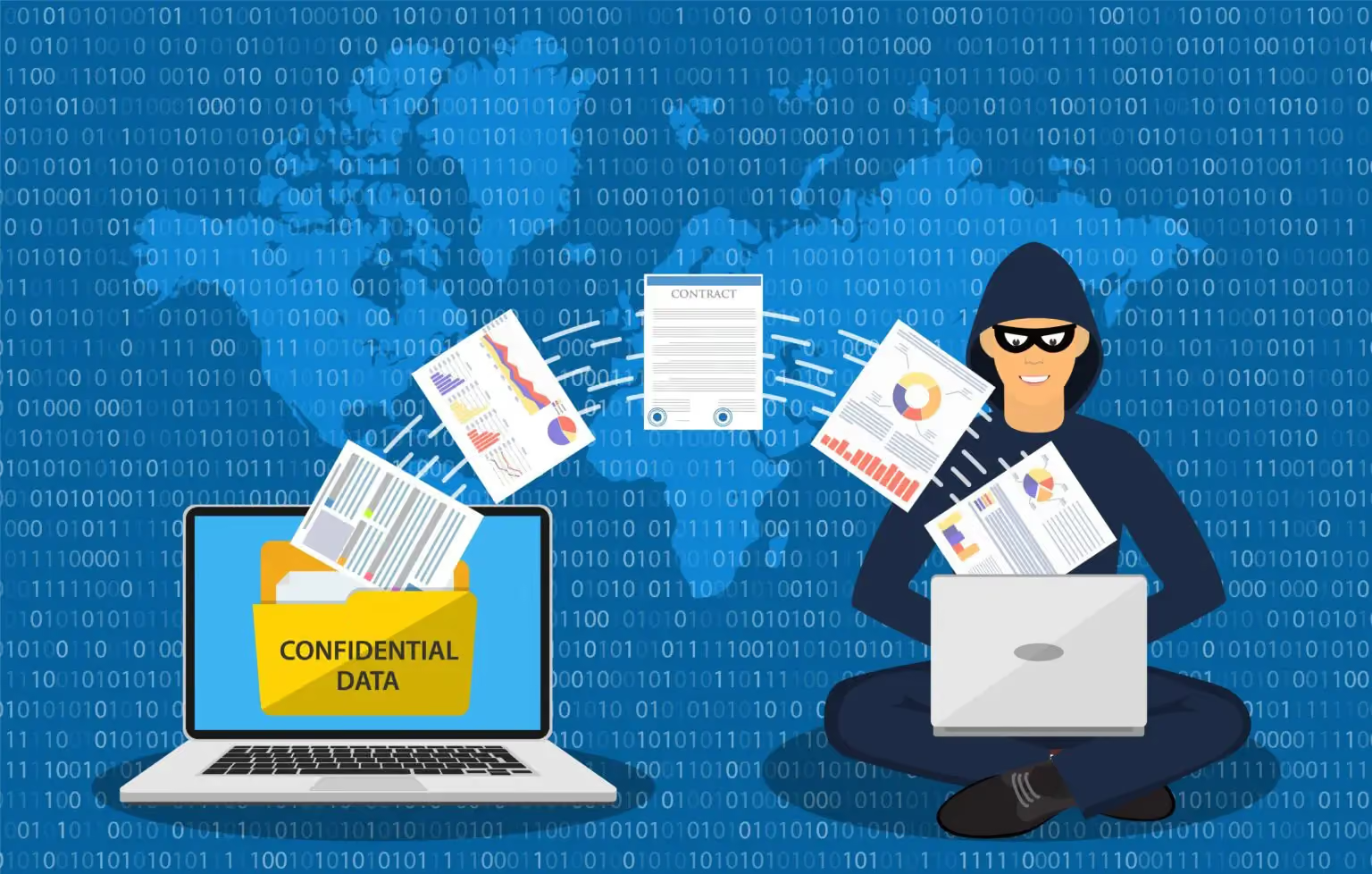
Social engineering is a manipulation technique adeptly used by adversaries to trick individuals into revealing personal or sensitive information unlike other forms of cyber-attacks that exploit system vulnerabilities, social engineering zeroes in on human psychology.
This manipulation often takes the form of phishing, pretexting, or impersonation, where the attacker pretends to be a trustworthy entity to extract valuable information. The beauty or, rather, the danger lies in the simplicity of these deceptions, which often lead to individuals divulging passwords, bank details, or other confidential data.
The digital age, while bringing about unparalleled convenience and connectivity, has also opened up a Pandora’s box of cyber threats, with social engineering scams being notably prevalent. Recent statistics and incidents highlight a worrying uptick in such deceptive practices.
The shift towards remote working and the consequent rise in online interactions have only added fuel to the fire, providing a fertile ground for social engineering scams to thrive. From phishing emails to fraudulent customer support calls, the gamut of social engineering scams is as vast as it is detrimental.
As we delve deeper into the common types of social engineering scams in the following section, it becomes imperative to acknowledge the profound impact such scams can have on personal lives and organizational integrity.
How to Detect Social Engineering Scams?
In the battle against social engineering, awareness and vigilance are your strongest allies. Detecting these scams requires a keen eye and an informed mind. Social engineers prey on human psychology and behaviour to weave their malicious narratives, making it vital to recognize the signs of their deceitful plays. Here we’ll explore some key indicators of social engineering scams and how to effectively spot them before falling victim.
1 - Recognizing Phishing Emails
Phishing remains one of the most pervasive forms of social engineering. Attackers often disguise themselves as reputable entities in emails, seeking to gain your trust and pry away your sensitive information.
Recognizing phishing emails is crucial. Look for red flags such as generic greetings, spelling and grammar mistakes, and requests for personal information. Moreover, hover over any links to see where they actually lead before clicking, as malicious links are a common phishing tactic.
2 - Verifying Unexpected Communications
Unexpected communications can be a gateway for social engineering scams. Whether it’s an email from your bank or a call from a supposed government official, always approach unexpected communications with a dose of scepticism.
It's wise to verify the identity of the sender or caller through a separate communication channel. For instance, if you receive an email from your bank, call the number on the back of your bank card rather than any number provided in the email.
3 - Be Cautious of Urgency
A common tactic employed by social engineers is creating a sense of urgency. They aim to rush you into making decisions without thorough scrutiny. Whenever you encounter communication stressing immediate action, take a step back. Evaluate the situation, verify the information, and don’t let the apparent urgency cloud your judgment.
Common Types of Social Engineering Scams
Social engineering scams come in many flavours, each with a unique twist on manipulating individuals to disclose sensitive information. Understanding the common types of scams is the first step towards building a robust defence. Let’s dissect some prevalent social engineering scams that you should be wary of:
1 - Phishing and Spear Phishing
Phishing scams involve attackers disguising as trustworthy entities to harvest sensitive information like login credentials or credit card numbers. Spear phishing is a more targeted variant, where attackers personalize their deceptive messages to a specific individual or organization, often using information gleaned from prior research to appear more convincing.
2 - Pretexting
Pretexting is another form of social engineering where attackers fabricate scenarios or circumstances to extract information from their targets. They might impersonate a company executive, IT support, or a trusted third-party to create a pretext for requesting sensitive data.
3 - Quiz Scams
Beware of online quizzes that are designed to trick individuals into sharing personal or confidential information. These quizzes may appear fun and harmless but could be a gateway for attackers to glean data which can be used in subsequent, more targeted attacks.
4 - Impersonation Scams
Impersonation scams involve attackers pretending to be someone else, often a figure of authority, to extract sensitive information or financial assets. These scams thrive on the inherent trust associated with the impersonated individual or organization, making them notably dangerous.
Defensive Measures Against Social Engineering
While detection is the first line of defense against social engineering scams, having robust protective measures in place is equally critical. A proactive approach towards security can significantly deter social engineers, making it difficult for them to penetrate the protective layers surrounding your personal or organizational data.
Let's delve into some effective defensive strategies that can be employed to fend off social engineering attempts and ensure a safer digital environment.
1 - Education and Training
The cornerstone of defending against social engineering is education and training. Individuals and organizations must be educated on the different forms of social engineering, how they work, and the red flags to look out for. Regular training sessions can help in keeping everyone updated on the latest threats and prevention measures.
2 - Multi-Factor Authentication (MFA)
Implementing Multi-Factor Authentication (MFA) can be a significant deterrent to social engineering scams. MFA requires more than one form of identification before granting access to an account, thereby adding an extra layer of security. Even if a malicious actor obtains your password through social engineering, they would still need to bypass the additional authentication measures.
3 - Regular Security Audits
Conducting regular security audits is a proactive measure to identify and fix vulnerabilities that could be exploited through social engineering. These audits can reveal how well your organization’s current security measures are holding up and where there is room for improvement. By regularly evaluating your security posture, you can stay one step ahead of social engineers.
Conclusion
PrivacyHawk is a tool that can add a significant layer of protection in the digital realm, assisting in the prevention of scams by managing one's online data exposure. By identifying and deleting personal data from exposed sites, PrivacyHawk diminishes the likelihood of falling prey to social engineering scams which often leverage publicly available information to craft convincing deceptive narratives.
With fewer data points available to malicious actors, the efficacy of their scams is considerably reduced. Hence, incorporating PrivacyHawk in one's digital hygiene routine complements the vigilant and well-informed approach advocated in conclusion, fostering a more secure digital environment.

7 Cybersecurity Best Practices for Remote Workers
The rise of remote work has brought new challenges to cybersecurity. Remote workers are often more vulnerable to cyber threats due to the use of personal devices and the lack of security measures outside the office. That's why we think it's important to talk about some best practices that will keep remote workers and their companies safe from cyber threats. In this article, we’re going to take a look at 7 tips to protect your devices and data.
1. Use strong password management practices
We cannot stress enough the importance of a strong password. It is one of the most basic yet crucial steps to secure your computer and data. You should avoid common or easily guessable passwords as well as using the same one on every account. What we recommend is using a mix of upper and lower-case letters, numbers, and special characters. Also, consider using a password manager to generate and store passwords.
2. Enable Two-Factor Authentication
Your accounts can never be too protected, that's why using two-factor authentication will provide you with that extra layer of security by requiring a second form of identification, such as a text message or biometric scan, in addition to a password. Using this kind of security process can significantly reduce the risk of unauthorized access to your accounts and data.
3. Keep Your Software Up-to-Date
We know that sometimes it is easier to hit pause on an update and “do it later”, but sometimes that later is too late. Keeping your software up-to-date is crucial to ensure that your device has the latest security patches and bug fixes. Cybercriminals often target outdated software with known vulnerabilities. We recommend setting your device to download and install updates automatically.
4. Use a Virtual Private Network (VPN)
When working remotely, using a VPN is a must! A VPN is a service that encrypts your internet connection and helps protect your privacy by masking your IP address. Consider using a VPN to access your company's network or sensitive data. It can also prevent eavesdropping and unauthorized access to your data.
5. Use Antivirus and Firewall Software
There's a reason why this software exists. Antivirus and firewall software can help detect and prevent cyber-attacks. Enable your firewall to restrict unauthorized access to your device and block suspicious network traffic. Plus, don't forget to keep your antivirus and firewall software updated.
6. Be Cautious of Phishing Scams
Did you know that phishing scams are one of the most common cyber threats? Remote workers should be extra cautious of phishing scams, as they often use social engineering to trick users into providing their personal and financial information. Don’t open suspicious emails or messages or answer suspicious phone calls, and avoid clicking on links or downloading attachments from unknown sources.
7. Secure Your Wi-Fi Connection
When working remotely, your Wi-Fi is one of the most basic yet essential tools. So securing your Wi-Fi connection seems like something rational to do. With this, you will prevent unauthorized access to your network and data. We also recommend using a strong and unique Wi-Fi password and consider disabling the guest network feature. Also, try using a WPA2 or WPA3 encryption to protect your Wi-Fi network.
Conclusion
Cybersecurity is crucial for remote workers to protect their devices and data from cybercrimes. By using strong passwords, enabling two-factor authentication, keeping software up-to-date, using a VPN, antivirus and firewall software, being cautious of phishing scams, and securing your Wi-Fi connection, you can significantly reduce the risk of cyber attacks. Remember that cybersecurity is an ongoing process, and you should always be cautious and proactive in protecting your digital assets, and an easy way to do it is by using PrivacyHawk.
It’s a personal privacy manager that helps individual consumers quickly and easily understand what data is being collected about them online and how it’s being used. With PrivacyHawk, you can easily protect your personal information.

Personal Data Protection Protects Businesses from Data Breaches
Protecting businesses’ systems from unauthorized access is of the utmost importance to cybersecurity. Social engineering is the cause of 98% of successful cyber attacks. These attacks use personnel's personal information to gain unauthorized access to systems through impersonation and phishing attacks.
Every member of an employer’s staff is a potential vulnerability whose personal information could be used to compromise their systems. And each one could have a personal digital footprint with hundreds of personal data exposures.
It is of vital importance to a business’s cybersecurity to reduce the number of attack vectors of their systems through the personal data of their personnel. Of particular importance is the personal information about personnel available online from data brokers, social media profiles, and other corporate data breaches.
The Problem
For every thousand employees a company has, each with an estimated digital footprint of 350 vulnerabilities, there are potentially 350,000 copies of their personnel’s data that could be used for social engineering attacks that could compromise their systems (per 1000 employees).
Removing each of these exposures manually for each individual is virtually impossible without technology. It would require all 1,000 personnel to spend weeks or longer trying to
track down all the places they gave their personal information to, along with finding all the data brokers selling their personal info,
researching how to remove each exposure by reading each privacy policy, filling out the web form to delete their info, and then
follow up to verify that each one has been processed. Additionally, new exposures rise each month, resulting in ongoing monitoring being required.
PrivacyHawk estimates that it would initially take 60 hours per person and then another 2 hours monthly to manually manage this. For 1,000 personnel, that’s 84,000 hours per year spent manually reducing their digital footprints to reduce the risk of it being used for cyberattacks on their business systems. With an average cost of $70 per hour per employee, it would cost a company nearly $6 million per year per 1,000 employees to try to solve this problem manually without technology.
The Solution
PrivacyHawk uses robotic process automation and software to automate the above thousands of hours of work to reduce the digital footprint and number of social engineering attack vectors of the company as a whole. PrivacyHawk already has an existing, commercially available, working solution that can be used to help significantly reduce the number of personal data vulnerabilities that could be used to compromise a business’s systems.
This reduces the risk of data breaches and their associated costs, reduces the risk of IP theft and unauthorized access to company systems, and reduces the risk of social engineering hacks against the company. Ultimately that reduces the liability and cost risks of a data breach to the company and its insurers.

Cybersecurity & Best Practices to Protect Yourself Online in 2023
As the internet becomes an increasingly integral part of our daily lives, it's important for individuals to be aware of the risks of cybersecurity threats and to take steps to protect themselves online. Cybersecurity threats can come in many forms, including malware, phishing scams, and data breaches, and they can have serious consequences for individuals, such as identity theft or financial loss.
Here are some best practices for protecting yourself online:
1. Use strong, unique passwords for each of your accounts.
Avoid using the same password for multiple accounts, and create a strong password by using a combination of letters, numbers, and special characters.
2. Enable two-factor authentication whenever possible.
Two-factor authentication adds an extra layer of security to your accounts by requiring you to enter a code that is sent to your phone or email in addition to your password.
3. Be cautious about sharing personal information online.
Avoid sharing sensitive information such as your Social Security number or financial information on public websites, and be careful about who you share your personal information with.
4. Keep your software and devices up to date with the latest security patches.
Hackers often exploit vulnerabilities in outdated software, so it's important to keep your devices and software up to date to protect yourself.
5. Use antivirus software and a firewall to protect your devices.
Antivirus software can help protect your devices against malware, while a firewall can help protect your devices against unauthorized access.
6. Be cautious about emails and websites.
Be wary of emails or websites that ask for personal information or that contain links or attachments that you weren't expecting.
7. Use a virtual private network (VPN) when connected to public WiFi.
A VPN encrypts your internet connection and can help protect your data when you're connected to public WiFi.
By following these best practices, you can help protect yourself and your personal information online. It's important to be vigilant about cybersecurity threats and to take steps to protect yourself to ensure that you can safely enjoy the benefits of the internet.
Another action you can take to prevent being targeted by cybercrime is using a tool like PrivacyHawk, which identifies where your personal data is exposed, putting you at risk, and automatically removes these vulnerabilities. It's available in the Apple App Store; try it today!

How To Protect The Privacy Of Teenagers On Instagram and Facebook?
With social media's ever-evolving landscape, it is important for parents and guardians to be aware of how to protect teenagers' privacy on Instagram and Facebook. Social media has become a major part of life for most people, especially teens, who often use online platforms as an outlet to express themselves with friends and peers.
If not properly managed or monitored, this can lead to unintended consequences. Fortunately, there are ways that parents and guardians can help secure the safety of their children while allowing them access to these powerful social media networks.
In this blog post, we will discuss some useful tips on how you can ensure teenagers' privacy when using Instagram and Facebook. So, let's begin.
Why Is It Important To Protect The Privacy Of Teenagers?
Protecting the privacy of teenagers on Instagram and Facebook is important because they may not yet have developed the skills and knowledge necessary to protect themselves online. Teenagers are particularly vulnerable to cyberbullying, identity theft, and other misuse of their personal information.
Furthermore, here are some more reasons why you should protect teenagers' data when using the internet.
1. Prevents them from being exposed to potential predators:
Social media is a breeding ground for cyberbullying, trolling, and other forms of online harassment. Teenagers need to be able to protect themselves from these types of dangers.
2. Saves from being exposed to inappropriate content:
Teenagers are vulnerable to seeing things they should not be exposed to, and it is important to protect them from them.
3. Allows them to have an appropriate amount of control over their online presence:
Teenagers should be able to decide what information is shared and who can see it. Controlling this will help them stay safe online.
4. Help to protect their mental health:
Teenagers are more susceptible to feeling anxious, depressed, and other mental health issues due to the content they may be exposed to. Having the ability to protect their privacy can help them protect their mental health.
5. Help them stay away from cyberstalkers:
They may be able to track teenagers’ online activity if their privacy settings are insufficient, and it is important to protect them from this type of danger.
Tips To Protect The Privacy of Teenagers
Worried about how to protect your teen's privacy? No need to get upset because you can follow the below-mentioned tips to ensure your teen's privacy is completely protected.
Educate your teen about online privacy and security: Explain why protecting their online privacy and keeping their information secure is important.
Set appropriate social media boundaries: Discuss with your teen the type of content they are allowed to post online and inappropriate content.
Monitor online activity: Establish guidelines for the types of websites your teen can visit and the amount of time they can spend online.
Set up parental controls: Use parental control software to limit your teen’s access to inappropriate content.
Set strict rules for sharing personal information: Make sure your teen understands not to share their personal information, such as their address, phone number, or other identifying information, with anyone they don’t know.
Talk to your teen about cyberbullying: Explain to your teen why it is wrong and how to respond if they are cyberbullying victims.
Explain the consequences of sexting: Make sure your teen knows that sending images of themselves to someone else can have serious consequences.
Ensure your teen uses strong passwords: Teach them to use strong passwords to protect their accounts.
Encourage your teen to think before they post: Remind your teen that once something is posted online, it can’t be taken back.
Be a good role model: Let your teen see that you take online privacy and security seriously by following these tips yourself.
PrivacyHawk Helps Protect Teenager’s Data
While it’s important for parents to closely monitor their child’s social media activity, teenagers also need to be aware of the importance of privacy settings and how to use them. As our society becomes increasingly reliant on technology, it’s more important than ever that we take steps to protect our privacy, especially when it comes to sharing personal information online.
PrivacyHawk is a personal privacy manager that helps individual consumers (not businesses or organizations) take control of their digital footprint and safeguard their private information. If you’re looking for ways better to protect your teenager’s privacy on social media, consider using a tool like PrivacyHawk.
The Most Significant Data Breaches in History
Data breaches have become increasingly common in recent years, with hackers accessing the sensitive personal and financial information of millions of individuals and organizations. While there have been many data breaches throughout history, some have had a particularly significant impact due to the large number of records that were compromised, the sensitive nature of the data that was accessed, or the long-term consequences for those affected.
1. Yahoo data breach (2013-2014):
In 2013 and 2014, hackers accessed the personal information of all 3 billion user accounts on Yahoo's servers. The hackers obtained access to information such as names, email addresses, and security questions, as well as unencrypted security answers. The breach had serious consequences for Yahoo and its users, and the company ultimately settled with the Federal Trade Commission, agreeing to pay a $35 million fine.
2. Marriott data breach (2018):
In 2018, hackers accessed the reservation system of Marriott's Starwood Hotels chain and accessed the personal information of up to 500 million guests. The hackers obtained access to information such as names, addresses, passport numbers, and reservation details. The breach had serious consequences for Marriott and its guests, and the company ultimately reached a settlement with the UK's data protection authority, agreeing to pay a $124 million fine.
3. Equifax data breach (2017):
In 2017, hackers accessed the personal information of 147 million customers of credit reporting company Equifax. The hackers obtained access to sensitive information such as names, Social Security numbers, birth dates, and addresses. The breach had serious consequences for Equifax and its customers, and the company ultimately reached a settlement with the Federal Trade Commission, agreeing to pay up to $700 million in fines and compensation to those affected by the breach.
4. Adobe data breach (2013):
In 2013, hackers accessed the personal information of 152 million customers of software company Adobe. The hackers obtained access to sensitive information such as names, email addresses, and encrypted password data. The breach had serious consequences for Adobe and its customers, and the company ultimately reached a settlement with the Federal Trade Commission, agreeing to pay a $1 million fine.
5. eBay data breach (2014):
In 2014, hackers accessed the personal information of 145 million users of the online marketplace eBay. The hackers obtained access to information such as names, addresses, and encrypted password data. The breach had serious consequences for eBay and its users, and the company ultimately settled with the Federal Trade Commission, agreeing to pay a $20 million fine.
Data breaches can have serious consequences for individuals and organizations, and it's important to take steps to protect your personal information and to be cautious about sharing sensitive information online. Some general tips for protecting yourself online include using strong, unique passwords for each of your accounts, being cautious about sharing personal information online and keeping your software and devices up to date with the latest security patches.
If you want to find out exactly which companies have your private data, putting you at risk of being in a data breach, you can get a free exposures report from the the PrivacyHawk app. Take your data privacy to the next level by getting deleted from unwanted and vulnerable databases where your data is on exposed. Available on the Apple App Store.
Can You Trust An Online Password Manager?
The biggest mistake people make is believing that hackers only attack businesses. Yet, they tend to focus more on the individuals as there are fewer security layers than a company. For that, the first thing that you can think of is using an online Password Manager.
But can you trust online password managers? After all, they are also applications that work for their benefit. The simple answer is yes, you can trust them, but you need to know some essential things before using a password manager.
Learn about the essential security steps you need to take while using online password managers and whether you should trust them. This article covers all the critical information for you.
What Is A Password Manager?
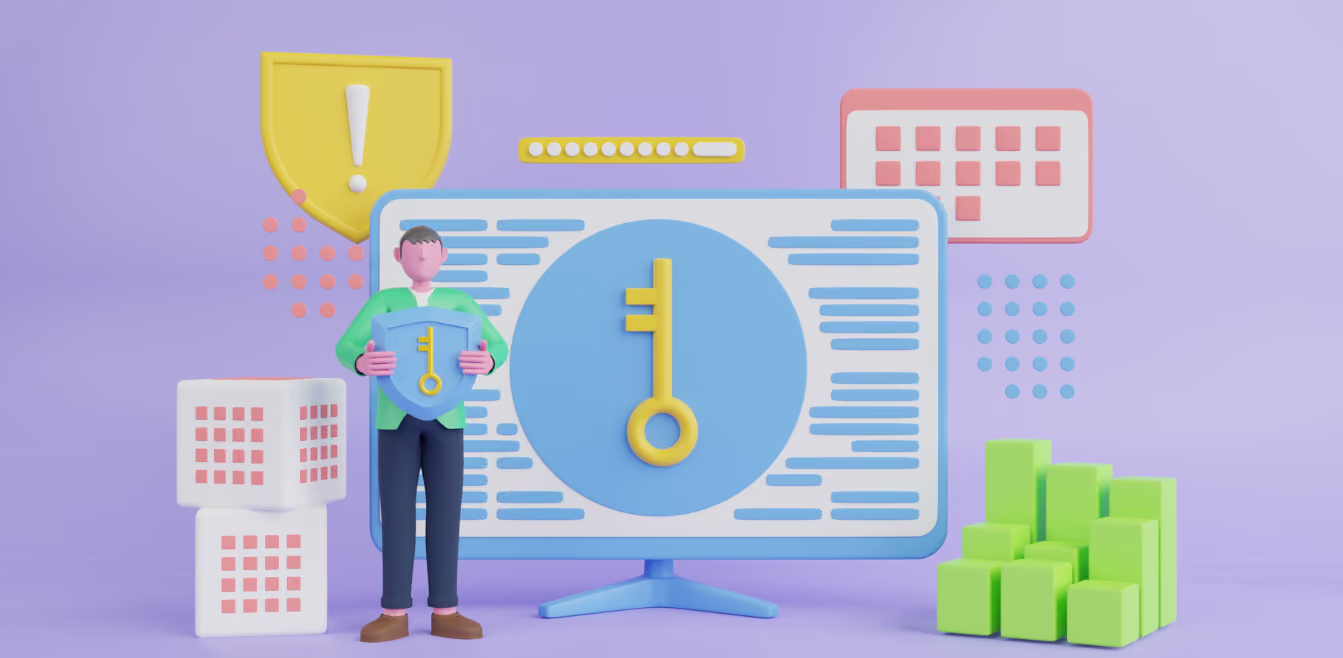
Password Managers can safely organize and keep your passwords safe, with them being the database. You can understand it as an online secret notebook with all your login details saved in it.
There are two types of password managers. One is a device-based manager where all the passwords are saved inside your device, but it is risky. You will lose all your passwords if you lose your device or it gets corrupted. The second option is to use a cloud-based password manager that is accessible online from anywhere.
Are Password Managers A Safe Choice?
The password manager helps you keep the passwords for your email IDs, bank accounts, and other applications. All your passwords are put in a strong security vault that only opens with a master password or two-step authentication.
With password managers, you can use strong passwords without forgetting them. Writing your password manually on a piece of paper may make you lose it, or anyone else could find it. With it, you can remember complicated passwords with many symbols, capitals, and small letters.
It leads to a password renewal every time you use your application. Some people even use a single password on different websites and accounts. But think about it for a moment: if your password gets hacked, you will lose everything. To avoid all these frustrations, password managers could be trusted.
A password manager is the safest option than other alternatives. They are less likely to be hacked by anyone, which could make you lose your passwords. So, we recommend that you trust a password manager and start protecting your passwords.
How Do Password Managers Secure The Passwords?
Password managers use strong encryption and a master password that is unreadable by others. Some devices also allow you to unlock the vault using biometric authentication or a face ID. But it is better to use a master password that will be impossible to crack.
Password Manager companies have zero knowledge of your passwords, so they are entirely trustworthy. In their history, password managers have never faced a serious breach, which means that they are handling the job perfectly.
Avoid These Password Security Mistakes
Whether you use a password manager or not, many people make some privacy mistakes. To save yourself from unwanted situations, here are some mistakes you must avoid if you do not want yourself to be stuck in a miserable situation.
Don't Use Sticky Notes
Some people write the passwords on sticky notes to keep them near the working space. They are quickly dropped or lost; in worse conditions, someone could just take your sticky note away or at least write down the password.
Avoid Saving Passwords In Browsers
When adding a password to log in to a website or while setting up a new account, you get pop-ups to remember the password for next time. It feels like a secure way, but actually, they are less secure than encrypted password managers.
Don't Use Obvious Passwords
Obvious passwords mean using your phone number, date of birth or loved one's name. Hackers can easily access these types of passwords.
Take An Extra Privacy Step…
Overall, password managers can be a great way to stay organized and secure online. However, it is important to do your research to find a reputable manager who has high-security standards in place to protect your sensitive information.
PrivacyHawk is a trustworthy and reliable privacy manager that will clean up your privacy, delete you from spam databases, and give you control over who can use your data and how. With PrivacyHawk, you can be sure that your data is safe and secure.

Everything You Need To Know About 'Children's Online Privacy Protection Act (COPPA)'
Wondering how you can protect your children from various unfiltered online data? Well, the Children Online Privacy Protection Act can guide you through. Like other acts against different cybercrimes, this one’s also an act to release parents' stress against internet use by children.
The COPPA applies to getting data from or showing data to children under 13 years of age. When there are so many sites and content on the internet, it’s very important to know the limitations for your young children to protect them.
Don’t know anything about COPPA? This article will explain every bit to help you out.
What Is the Children's Online Privacy Protection Act?
In 1998, Congress enacted the COPPA to protect children's online privacy. Whenever a website collects or discloses personal information from children under 13, they must obtain their parent's consent.
COPPA also requires websites to provide parents with information about how their child's information is collected and used.
What’s Covered Under COPPA?
You must have noticed a particular type of ad after searching for a thing on the internet. To stop this from happening with children, it’s important to protect their privacy. Parents should be given all rights to protect and limit the data usage by their children.
Here are some things covered under COPPA:
1 - Data collection, use, and sharing from children on websites must be outlined in a privacy policy.
2 - Children's personal information must be collected, used, or disclosed with their parent's consent.
3 - Parents must be allowed to refuse to allow their children's personal information to be collected by websites.
4 - Parents should be able to control the websites their children access and use. This way, parents can ban children's access to adult or unwanted sites whose data isn’t good for children.
5 - Parents should know about the third parties who can access their children's data. Additionally, with control over disallowing the particular third parties with whom parents are not comfortable to share data.
6 - To protect the security and confidentiality of the personal information collected from children, website operators must take reasonable measures.
Is the Children's Online Privacy Protection Act effective?
The law protects children's online privacy by requiring websites to follow strict guidelines to protect children's privacy online. Parents must consent before companies collect or share information about their children, and they must limit how the data they collect can be used. Companies that violate COPPA can face costly fines.
Some argue that COPPA needs to be more effective as it does not protect children from data collection by companies outside the US and does not cover the use of facial recognition technology.
How To Protect Your Children’s Data?
Relying on COPPA isn’t enough; you must take personal measures to protect your child’s safety fully. Here are some steps that will help you with this:
Teach your children about online safety:
Ensure your children know the risks of going online and how to stay safe. Make them aware of potential risks and teach them how to protect themselves online.
Monitor their online activity:
Monitor what your children are doing online and with whom they communicate.
Set ground rules for online behaviour:
Set rules for online behaviour, such as not sharing personal information, not using bad language, not downloading unknown files, and not visiting websites or downloading apps that are inappropriate for their age.
Use parental control software:
Install parental control software to monitor, filter, and block access to certain websites, apps, and content.
Use secure passwords:
Use secure passwords for your family's online accounts and encourage your children to do the same.
Check privacy settings:
Regularly check and adjust the privacy settings of your children's websites and apps.
Limit the amount of time spent online:
Set limits on how much your children can spend online to keep them from spending too much time online, which can be detrimental to their physical and mental health.
Know your children’s online friends:
Get to know them and make sure they are who they say they are.
Final Words
The Children’s Online Privacy Protection Act (COPPA) was created to help protect the privacy of children under the age of 13 who use the internet. This act requires websites and online services that collect personal information from children to obtain parental consent before doing so.
If you are a parent with young children, it is important to be aware of COPPA and how it can affect their online privacy. PrivacyHawk offers a variety of tools and resources to help parents keep their children safe online.
PrivacyHawk’s monitoring system will help you monitor which websites collect children's personal information. With PrivacyHawk, you can rest assured knowing that your child’s online privacy is being protected.
How To Avoid Being A Victim Of ID Theft?
You must have heard about identity theft and the horrible results of it. According to a report, 7 to 10% of the US population becomes a victim of fraud activity. These stats give goosebumps to almost everyone because anyone can become a victim of ID theft. Then, what are the ways that can save you from becoming a victim of ID theft?
Various applications are available in the market to protect your ID. But besides using the applications, you must know what to do to avoid such events. External software can only save you from ID theft if you're taking precautions from your side. Are you worried about how to avoid being a victim of ID theft? Don't worry! This article will explain everything.
What Is ID Theft?
A person's name, email ID, phone number, and even social media accounts are his belongings that anyone else cannot use. But sometimes hackers steal the ID information and use it for fraudulent and illegal activities. It is known as ID theft.
It could be done for different purposes, such as to gain personal benefits by using your followers, to blackmail you, to get money from your family and friends, or sometimes just to damage your reputation among your followers.
Tips To Avoid ID Theft
ID theft is undoubtedly scary, but by working on some tips, you can avoid losing your identity. Look at the tips discussed below to ensure you never get caught in ID theft.
Avoid Using Public Wifi
Public Wi-Fi is the easiest way to get caught in ID theft. Most public Wi-Fi providers control all the user information of every person connecting with the Wi-Fi. So, you pay a very heavy price for free public Wi-Fi. Even if you have to use it is recommended to put the barrier of a VPN between your data and the Wi-Fi provider.
Stay Aware From Scam Calls
Scam calls are the biggest way scammers use to get access to your bank accounts, email addresses, and other personal information. Promising to provide you with a heavy gift amount, these scammers fraudulently take your OTP and get access to your accounts.
Stay aware of such calls, and do not provide bank details and OTPs over the phone. If you receive calls claiming to be from your bank, refuse to give any information and visit your bank as soon as possible to report the call.
Set Up Strong Passwords
Setting up a weak password on your personal information or using a similar password for different websites often leads to ID theft. You become easy prey for scammers and hackers, allowing them to steal your valuable information.
Learn what a strong password should be like, and then reset all your accounts' passwords. Another tip is to keep on changing your passwords every few months to reduce the chances for hackers to crack your password. Give a hard time to the hackers by setting up a very strong password with more characters making no connection with each other.
Don't Share Personal Information Over Phone
Personal information must not be shared over emails, messages, or phone calls. Your device is possibly hacked, and the hacker can easily access your accounts using the information you share. Even in emergencies, try to meet with the person who needs to send or receive money from you. You will be saved from ID theft and other blackmail.
Keep A Check On Your Accounts
Never leave your accounts on their own. Check them regularly. For instance, bank accounts to ensure there are no issues with money count.
Conclusion
The best way to avoid being a victim of ID theft is by taking proactive steps to delete your data from unknown, unwanted or unsecured databases. By doing this, you can help reduce the risk of your private information ending up in the wrong hands. PrivacyHawk offers a service that helps you automatically find companies using or selling your data so you can take action to protect your privacy. Have you taken steps to prevent ID theft? What other methods do you recommend?
6 Data Privacy Issues Of TikTok You Must Know
TikTok doesn't provide a free platform to shoot, edit and post videos. Instead, it's taking something even bigger than money from you. Just like other social media platforms, TikTok apparently has some not very "private" privacy policies.
TikTok gathers data from 1.2 billion users for various purposes. The worst thing is that even youngsters under 13 years old are accessing this platform. In this article, you will learn the 6 data privacy issues of TikTok that you might not know before. So, let's begin!
6 Data Privacy Issues of TikTok
Every user provides some information to TikTok for account registration. This information is collected and could be available to the public. But things do not stop here because much of the data is collected by TikTok itself that you might not be willing to share.
Have a look at the below-mentioned 6 privacy issues faced by TikTok users. The worst part is that many users do not even know that their privacy is at risk using TikTok Tok.
1 - Contacts Information
When a user registers on the application, all his contacts are accessible for TikTok. The name, email address, and other information regarding every contact in your device are at risk because TikTok can collect and misuse it. Even if there is no misuse, still this data could be used for marketing purposes.
2 - Geographic Location
TikTok has direct access to your IP address, which means your geographic location is continuously in the hands of the application. If TikTok sells this data to a third party, you can be threatened, kidnapped, or more using your location access.
3 - Face Closeup
Having your camera access TikTok captures the close-up of your face while registering your account. Face closeup is accessible biometric data linked to other pictures outside the application. This can create a huge security and privacy threat to you and your family. Your biometric information could be used in fraudulent activities, leaving you in an extremely bad situation.
4 - Data From Underage Children
The fancy world of TikTok captures youngsters in itself; that’s why many underage users use TikTok. The app collects data from kids who are younger than 13 years old. In February 2019, TikTok paid the Federal trade commission a 5.7 million dollar fine. The application was blamed for illegally collecting the personal information of underage children.
5 - U.S Government Don't Want TikTok
The way TikTok gathers users' data has made it unacceptable to the defense department of the US military. They advised the government to remove TikTok from devices, especially government-issued smartphones. Many military branches have made a compulsory requirement to delete the application because of security concerns.
6 - Security Controls
TikTok has implemented excessive security controls that allow it to control users' practices easily. Wells Fargo Bank has warned its employees to eradicate TikTok from its system. The reasons are security-based.
How Can You Protect Yourself From TikTok Privacy Issues?
If you use TikTok, you must unintentionally share much personal information that TikTok can expose. That's why it's essential to know how to make your TikTok account more private by customizing some settings.
Change your account's setting from public to private.
Keep the option "suggest your account to others" off because this option leads unknown people to visit your profile without your knowledge.
Change comment settings to avoid harassment and rubbish comments.
Manage direct message settings to keep intruders away.
Disallow unknown people to download your video. Anyone can watch your video on TikTok, but only allow some to download your data.
Are You Afraid To Lose Your Private Information From TikTok?
While TikTok may be a fun and entertaining social media platform, users must be aware of the dangers that come with sharing their personal data. From personal data collection to targeted ads, there are several ways your information could be used without your knowledge or consent.
PrivacyHawk can help you take control of your personal data and protect yourself from identity theft, fraud, and other online threats. Visit our website today to learn more about how we can help you stay safe online.

3 New Policy Updates On WhatsApp
Being the world's most popular messaging app, with over 2 billion monthly active users, WhatsApp is popular in more than 180 countries. With such a vast user count, WhatsApp has to regularly update its privacy policy to maintain the user's data.
As WhatsApp allows people to communicate privately, it's essential to declare a privacy policy. It helps people to know what kind of information WhatsApp collects from their messages and other activities on the application. This article will explain how much of your data is protected or open to WhatsApp algorithms.
3 New Policy Updates On WhatsApp
WhatsApp updated its policy on 9th August 2022 and claimed to provide more layers of protection to its users with the new update in the policy. Users will have advanced control over the messages, making things easier. These changes include:
1 - Anonymously Leave The Group
The group chat option on WhatsApp is helpful for businesses and families. Sometimes, the experience could be more pleasing, leading to the departure of the group. But what happens after you leave the group? Private messages from group members to ask why you left the group.
Isn't it annoying? Don't worry because with the new update of WhatsApp, you can leave the group silently without any notification to other members. Only the group admin will know about your exit.
2 - Stay Online Secretly
Whatsapp is used both for business and private purposes, which sometimes creates inconvenience. You may want to use WhatsApp privately, and your boss will see you online. You'll get a direct message about your project's progress.
Now you can control this by changing your WhatsApp settings. You can select the contacts with whom you want to share your online status.
3 - No Screenshot For View Once Messages
In 2021 WhatsApp introduced a new feature of 'view once.' Using this, a user could send a video or image that disappears once it is opened. But more protection was needed for security and privacy purposes. People started taking screenshots of one-time view photographs.
To address the issue, WhatsApp edited another extra feature associated with the 'view once.' Now, no user can take screenshots of such images, which means that a photograph will only be viewed once and then deleted from the receiver device.
Shocking WhatsApp Privacy Policy Updates In 2021
In 2021 WhatsApp privacy policy took a new dimension, shocking every WhatsApp user. Since its launch, WhatsApp has always been a private messaging application. Suddenly the owners announced that WhatsApp users' data would be shared with Facebook and its partner companies.
Personal data, users' IP addresses, phone numbers, and even the activity were to be shared. This announcement was published on the company's blog, where it clarified that it would not access the user's private messages. They claimed that 'WhatsApp was built on a simple idea: what you share with your friends and family stays between you.
So, it was clear that misinformation was spreading that WhatsApp would no longer be safe to use. Still, it was undisputable that user preferences would be used for marketing purposes.
How Do Companies Use WhatsApp User Data?
According to the 2021 WhatsApp policies, the user data is shared with different companies to help them target the audience, boosting their businesses. The main actions that those companies could take regarding user data include the following:
Display relevant ads related to the users' needs
Help with completing transactions and other purchases
Advancement in the security and delivery system of the companies
Suggesting connecting with new groups, friends, and companies
How To Protect Yourself On WhatsApp?
WhatsApp’s new privacy policy changes have caused quite a stir among users. The updated policy would allow WhatsApp to share user data with Facebook for business purposes. However, if you're concerned about your personal privacy on WhatsApp (or any other social media platform), be sure to take steps to protect yourself online.
For this, you can consider using an app like PrivacyHawk, which helps individual consumers keep track of their privacy and limits information sharing across all their devices and accounts.
5 Things You Should Know About Twitter’s Privacy Policy
You might know that the new owner of Twitter is 'Elon Musk', but are you aware of the new privacy policies Twitter has?
Twitter is a free platform with over 30 million active users, increasing every day. This is why they need to improve the platform, which is only possible if they know what people want. From collecting your data to sharing it with other parties, there are five things that you should know about Twitter's privacy policy.
What Is Twitter's Privacy Policy?
Twitter is a public platform where you share your data accessible to everyone out there. Twitter's privacy policy means the data they collect about you using your tweets, likes, shares, and even the information you have added to your account.
Twitter's privacy policy explains what type of data they collect and how much your privacy is protected while using Twitter. It also explains if they collect personal data from your device without permission. Social media applications are often accused of stealing data from people without their consent. Let's have a look if Twitter is doing so or not.
5 Untold Things About Twitter's Privacy Policy
Learn these five things so the next time you use Twitter, you'll know what information you send to Twitter's algorithms.
1 - Information You Provide To Twitter
When you create a Twitter account, you must provide some information to register on the site. This information is accessible and usable by Twitter by all means. Some of the information that you provide includes:
Username
Password
Date of birth
Language
Your location
Address book
2 - Your User Experience Recorded
Twitter records which page, ads, or data you are interested in. Doctor collapses information about how you use their products and services to help keep up their value. Some of the data that Twitter collects include:
Content in your post
Your broadcast data
Retweets, shares, replies, tags
People you follow and vice versa.
Content of direct messages
The links you use from Twitter
3 - Data Collected From Third Parties
Some third parties have contracts with Twitter based on whom they share their user data with Twitter. Some of these third parties share the following information:
Twitter generated identifiers
Mobile device IDs
Cookie IDs
Email addresses
Demographic data
Viewed content
Actions taken
4 - Affiliates On Twitter Have Their Own Policy
Some Twitter services, like TweetDeck, help you customize your experience on Twitter. Some services also allow you to enhance your experience outside Twitter. These affiliates may be collecting more data than Twitter itself.
5 - You Can Change Your Privacy Settings
Where Twitter is collecting lots of data from your Twitter account, there is one good news, too. Some of the privacy is still in your hands, and you must control it. These are some changes you can make to your account's privacy policy.
You can enable or disable personalized ads. This setting controls ads from Twitter advertisers by combining your activity on Twitter and the information from Twitter third-party partners.
Twitter recognizes different devices from where you log into your account. You can turn off this setting depending on whether you want Twitter to record your activities from other devices.
Don't Let Twitter Know Everything….
In this technology-oriented world, your digital data is a huge asset, and no one wants to lose it. Whether it's Twitter’s privacy policy or any other application, you must be very careful about your privacy. You can use as many careful measures as possible to protect your data from Twitter. These steps include:
Read the complete privacy policy of Twitter to learn what is being controlled by them.
Customize your settings from the privacy policy menu in your application. Try to give the least access to Twitter on your data.
Using a VPN can also be a good choice because, in that case, you can protect your location.
Final Words
Since its inception, Twitter has been a go-to source for real-time news and commentary. The social media platform boasts over 336 million monthly active users worldwide, which is why it’s no surprise that the company updated its privacy policy in June 2018. As we continue to grow and engage with one another through social media channels like Twitter, it’s important to be aware of the privacy implications involved.
Luckily, by being proactive and understanding what you agree to in terms of Twitter’s Privacy Policy, you can help keep your personal information safe while still enjoying all that Twitter has to offer. And if you need a little extra help staying on top of things, PrivacyHawk can take care of your privacy for you by helping you take control of your digital footprint.
5 Tools To Strengthen Your Online Privacy
It seems like every day, we hear about another data breach or compromised account. With the amount of personal information, it's important to stay informed and protect yourself online. You can use several tools and tactics to do this, and today we're going to explore five of them. Keep reading to learn more!
What Is Online Privacy?
Online privacy is the practice of protecting your personal information online. It means taking steps to ensure that your data is secure and not accessible to unauthorized individuals or organizations. This includes limiting what information you share, using strong passwords and encryption, and being aware of potential scams and phishing attempts.
Tools To Strengthen Your Online Privacy
There are many tools available to consumers, paid and for free, that can help keep your data secure. Here are a few of the most popular:
1 - Virtual Private Network(s) or VPNs
Although there is no one hundred per cent safe place on the Internet, some are more dangerous than others. The most perilous connection you have is your local one, the link you use to access the World Wide Web. All of the data passing through this connection can be traced back to you since you either sent or received it.
These attacks are most commonly and successfully executed at the initial link, which is, unfortunately, where you, as the user, are located. VPNs are software programs that create a secure connection between your device and the Internet. This means that data sent back and forth between your computer and the Internet is encrypted, making it much harder for someone to intercept or access it.
This is useful because it prevents others from seeing what you're doing online or where you're located geographically. It also makes it more difficult for middle parties to gain access to your devices or information.
2 - Password Manager
We all know that creating strong, unique passwords is important, but it can be challenging to remember them all. This is where password managers come in handy. They are tools designed to store all your passwords securely while allowing you to quickly and easily log into sites without having to type out long, complicated strings of characters every time.
Another similar way is to use 2FA. Two-factor authentication is an extra layer of security that helps verify your identity before allowing access to a website or service. This typically involves entering something you know (like a password) and something you have (like a one-time code sent to your phone). This makes it much harder for hackers to gain access because they'll need more than just your username and password.
3 - Firewall
A firewall is a defensive tool that helps protect networks and computers from unauthorized access. It does this by monitoring the traffic passing between these devices and the Internet. If any malicious or suspicious activity is detected, it will block those attempts and alert you accordingly. This can be an especially useful tool for businesses that want to make sure their sensitive data remains secure from outside threats.
4 - Data Encryption Software
Encrypting data is one of the most effective ways to ensure online safety and privacy. The pre-encrypting technique has been used to ensure data security. It works by encrypting the data on the user's end, using a pre-shared key or certificate, and then sending the encrypted data over a network connection.
Pre-encrypting the data before it leaves the sender's computer prevents anyone from intercepting and reading it during transit. This makes sure that all of the information stays secure until it reaches its intended destination.
5 - Antivirus/Malware Software
Another way to protect yourself online is by using antivirus and malware software. Although it's not technically a privacy tool, antivirus and malware protection software are important to your online security.
These programs scan your computer on a regular basis for any malicious activity and can detect potential threats before they cause any damage. This can help prevent data theft, identity theft, and other cybercrimes. It's important to update this software regularly so it can continue to protect you against the latest threats.
Final Thoughts
At Privacy Hawk, our main goal is to equip all consumers with the knowledge and tools needed to stay safe online. Using the right tools and taking appropriate steps to protect yourself online can greatly reduce the chances of becoming a victim of cybercrime. It's important to remember that no single solution is perfect or foolproof, so combining different methods for maximum security is always wise.
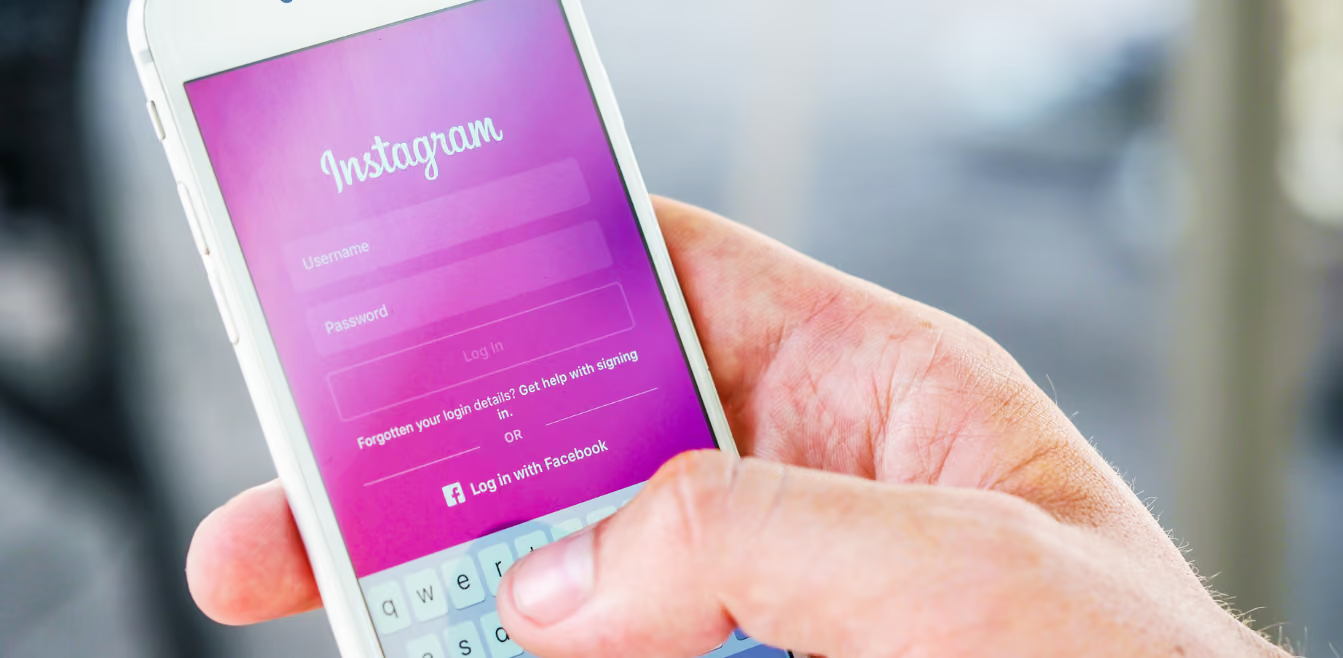
How And Why Should You Keep Your Instagram Account Protected Online?
How And Why Should You Keep Your Instagram Account Protected Online?
Protecting your online accounts is more crucial than ever in the digital age. One of the most widely used social media sites is Instagram, which is a terrific way to stay in touch with friends and family throughout the world. However, because the site has so many users, there may also be security risks that you need to be aware of. This article will discuss why it's critical to safeguard your Instagram account and how to do it.
How To Keep Your Instagram Account Protected Online?
There are many ways to protect your Instagram account online. Here are some tips to help ensure your information stays secure:
Use a Strong Password:
Make sure to use a strong password that is different from your other passwords. Avoid common words, phrases, and numbers that are easy to guess. Keep a good mix of symbols, upper and lower case letters, and numbers.
Additionally, you can use a two-factor authentication protocol. Two-factor authentication adds an extra layer of security to your account by requiring a code in addition to your password when you log in. This code can be sent via text message or email.
Don't Post Personal Information:
Don't post your address, phone number, or other sensitive information in your Instagram posts. This makes it easier for someone to access your account and private information. Never share your passwords with friends; your password should only stay with you.
Be Careful About Clicking Links:
Be cautious when clicking on any suspicious links you receive, as they could be malicious. Don't download files sent by people you don't know. This is especially important for the links you receive in your DMs. Do not open any link that looks suspicious or has been received from an unknown person.
Report any spam or hacked accounts:
If you see any suspicious activity on your account, contact Instagram immediately.
Why Should You Keep Your Instagram Account Safe?
Keeping your Instagram account safe is important for several reasons. Here are some potential risks to be aware of:
1 - Your account could be hacked:
If you don't have strong passwords and two-factor authentication enabled, your account is more vulnerable to being hacked.
2 - You could be a target of cyberbullying:
Unfortunately, cyberbullying is becoming more common on social media platforms, and it's important to keep your account secure to protect yourself from potential attacks.
3 - People could gain access to your personal information:
Once someone has gained access to your account, they can see any personal information that you've posted, such as your address or phone number.
4 - Photos and videos that you've posted could be used without your permission.
If someone hacks into your account, they can access any photos or videos you've posted and use them without your consent. They may even ask for money from people using your identity.
5 - Someone could start posting fake content on your behalf:
A hacker could also post fake content under your account name to damage your reputation or spread malicious content.
6 - You don't want the connection with friends and family to be compromised.
With access to your account, a hacker can also reach out to any of your friends or family members by messaging them from your account, potentially putting them at risk.
What To Do If Your Instagram Password Has Been Hacked?
If you suspect your Instagram password has been hacked, here are a few steps you can take to protect your account:
Change your password immediately:
If you think someone has gained access to your Instagram account, you should first change your password.
Check connected apps and services:
Log into your Instagram account and check the connected apps to make sure no one has linked any unauthorized services.
Secure all other accounts:
If you use the same password for your other online accounts, changing those passwords is important to ensure they are secure.
Final Thoughts
In today's digital world, keeping your personal information and online accounts safe is more important than ever. The solution to the problem of online privacy is more complicated than just changing your Instagram settings. However, by utilizing a personal privacy manager like PrivacyHawk, you can take control of your data and keep your information safe from prying eyes. Have you taken steps to protect your online privacy? Let us know in the comments below.
How Can You Exercise Your Privacy Rights?
How Can We Exercise Our Privacy Rights?
Now, this is where technology has to come in. So what if a law gives you the right to delete your data if you have to track down 10,000 companies and make a request to each of them? There is no universal “delete” or “do not sell” list like the US tried to do with Do Not Call, which has been a miserable failure, by the way.
So there need to be tools out there that automate the process of transparency of what is being done with our data and automates opting out of where we don’t want our personal data being used.
There are now some apps and services, like PrivacyHawk, that we’re building, that help people take back transparency and control over how their data is used. Privacy services will soon become as common as antivirus and homeowners insurance. Everyone has it.
What we can tell you is that corporations aren’t going to help you. And the government will make some laws that are hard to take advantage of. But it’s really dangerous to just do nothing about our privacy.
As artificial intelligence gets exponentially better, as we are seeing, it will become more powerful, and it will be much easier to use AI to manipulate and scam us using all the data out there available to scammers and bad people. It is already relatively easy to piece together thousands of data points about billions of people. It’s not too far away that scams and identity theft will be more common using AI, which will make it much harder to stop.
So we’ve got to take back control over our privacy before it takes control of us and harms us, our friends, or families.
PrivacyHawk has a free inbox scan feature that can help you easily identify which companies and apps are likely to be using your private information. You can use PrivacyHawk to delete requests for any apps that no longer need your data.
PrivacyHawk also automates data broker removal for you so you don’t have to spend weeks trying to do it yourself. And it continually monitors for new risks and automatically squashes them as soon as they are found.
What Does Big Tech Know About You?
Short answer: everything.
They know more about you and anyone else because most of us spend so much time on those services. Every trip, photo, meal, purchase, comment, like, website visit, and click is logged and used to create a detailed profile of you. That profile is mainly used to do a better job of targeting ads to you.
The number of data points that they have on an average user is in the tens of thousands. Just reading someone’s post is a data point, as is liking a photo.
Social media companies have image recognition, and they know exactly what was in that image: a dog, for example. Like enough dog photos, and guess what, you’re profiled as a dog lover. Like a few photos with chocolate, now you also like chocolate. Over 5-10 years of these likes, they know more about you than perhaps even your friends and family. They can see into your subconscious and use AI to determine things about you that you didn't even know about yourself.
If that data gets into the wrong hands, it can be used to manipulate individuals or masses of people.
Recommendation:
Delete old posts you don’t need. Clear your advertising data periodically and use safe browsers that block trackers.

What is the “Grandparent Scam”?
This scam actually happened to our CEO’s grandfather and is very common. Being in data broker databases exposes us and family members to this risk.
We call it the grandparent scam. It’s pretty easy to piece together family members from people's search sites for just a few dollars per person. Scammers will target an elderly family member pretending to be, say, a great-nephew or grandchild who needs their help.
For example, they will call on the phone and say, “Hi Grandma, this is Johnny, your grandson. Hey, I got into a bind and accidentally ended up in jail. I need $8,000 for bail. Can you please help me?”
Some unfortunate grandparents will actually wire money to these scam artists thinking they are helping out their grandchild. Once that money is gone, you never can get it back. And the scammers are in the wind.
This might not sound like something you would fall for. And most people don’t. However, these scammers only need it to work a small percentage of the time to make a lot of money. And they are really good at it. Also, it’s not just you that is at risk. Maybe someone in your family could fall prey to it even though you wouldn’t.
It’s safest to remove yourself from data broker databases and recommend this to your family members as well.

Truist Bank Data Breach: Employee Info Sold for $1 Million on Dark Web
The North Carolina-based commercial bank, Truist Bank, recently confirmed a significant data breach. In October 2023, malicious actors infiltrated the bank's network, resulting in sensitive employee information being compromised and sold on the dark web. In this blog post, we will discuss this breach in detail and will provide you with ways to protect yourself from this type of breach in future.
How Did the Breach Occur?
The breach at Truist Bank occurred in October 2023 when a malicious actor known as Sp1d3r infiltrated the bank's network. The breach was revealed when Sp1d3r posted some of Truist’s data on an online hacking forum, claiming to sell data of 65,000 employees for $1 million. The compromised data allegedly included bank account numbers, balances, and source code for Truist Bank’s Interactive Voice Response (IVR) phone system used for transferring funds.
The bank quickly contained the cybersecurity incident, conducted a thorough investigation with the help of outside security consultants, and took additional measures to secure its systems. They also notified a small number of clients about the breach in the fall of 2023 and worked with law enforcement and cybersecurity experts to protect the system and data. Despite these efforts, the stolen data was still offered for sale on the dark web by Sp1d3r.
What was the Response of Truist Bank?
A Truist spokesperson stated, "In October 2023, we experienced a cybersecurity incident that was quickly contained. In partnership with outside security consultants, we conducted a thorough investigation, took additional measures to secure our systems, and notified a small number of clients last Fall.”
The spokesperson also said the bank has notified additional clients based on new information unveiled by the investigation. Furthermore, the bank has reportedly found no evidence of fraud resulting from the incident.
Just so you know, this breach follows the devastating Snowflake breach that allegedly impacted 165 customers of the cloud-based data platform. The breach affected a range of companies, from Ticketmaster to Advance Auto Parts and banking organization Santander. In Truist’s statement, they made clear that the Snowflake incident was unrelated to the breach they faced.
Who Was Affected by This Breach?
The breach at Truist Bank had a significant impact, particularly on the bank's employees and potentially its customers. Here's a detailed breakdown of those affected:
1. Personal Information of Employees Compromised:
Approximately 65,000 Truist Bank employees had their detailed personal and professional information stolen. This could include names, addresses, social security numbers, and employment details.
2. Employees Financial Data:
Employee bank account numbers and balances were part of the compromised data. This type of information is particularly sensitive as it can lead to direct financial fraud or identity theft.
3. Customer Transaction Data:
The breach also included bank transactions involving customer names, account numbers, and balances. This means that not only employees but also customers who had transactions during the affected period might be at risk.
4. IVR System Source Code:
The stolen data also contained the source code for Truist Bank’s Interactive Voice Response (IVR) phone system, which is used for transferring funds. Access to this code could allow hackers to find vulnerabilities and potentially manipulate or exploit the system for fraudulent activities.
5. Third-Party Impact:
Given that the stolen data includes the IVR system's source code, other financial institutions using similar technology could be at risk if similar vulnerabilities are found and exploited.
6. Identity Theft and Fraud:
The compromised personal and financial information can be used for identity theft, leading to fraudulent activities not just for the employees but also affecting their families and acquaintances if personal details are interconnected.
How to Protect Yourself From This Type of Event in the Future?
Data breaches can have far-reaching consequences, including identity theft, financial loss, and long-term impacts on credit and personal security. While companies are responsible for securing their systems, individuals must also take proactive measures to safeguard their personal information. Here are some tips that you can use to stay safe from data breaches:
Regularly Check Statements:
Frequently review your bank statements and transaction history for any unauthorized or unusual activities. Early detection of fraudulent transactions can help mitigate damage.
Set Up Alerts:
Utilize your bank’s notification services to receive alerts for transactions over a certain amount or for any suspicious activities. Many banks offer real-time alerts via email or text message.
Credit Monitoring:
Sign up for credit monitoring services that notify you of changes to your credit report, such as new accounts opened in your name, which can indicate identity theft.
Limit Personal Information Sharing:
Be cautious about the personal information you share online, especially on social media platforms. Avoid posting sensitive details such as your full address, date of birth, or phone number.
Use Privacy Tools:
Tools like PrivacyHawk can help you delete sensitive information from unnecessary corporate and data broker databases, reducing the risk of it being exposed in a data breach.
Use Strong, Unique Passwords:
Create complex passwords for each of your online accounts. Use a combination of letters, numbers, and special characters to make your passwords harder to guess.
Password Manager:
Utilize a password manager to generate and store unique passwords for different sites. This reduces the risk of using the same password across multiple sites, which can be compromised in a breach.
Enable Two-Factor Authentication (2FA):
Add an extra layer of security by enabling 2FA for your accounts. This requires a second form of verification, such as a code sent to your phone, in addition to your password.
Keep software updated:
Regularly update your operating system, antivirus software, and applications to protect against the latest security vulnerabilities.
Use Antivirus and Anti-Malware Tools:
Install reliable antivirus and anti-malware software to protect your devices from malicious attacks.
Secure Your Internet Connection:
Use a Virtual Private Network (VPN) when accessing sensitive information over public Wi-Fi to encrypt your data and protect it from eavesdropping.
Avoid Phishing Scams:
Be wary of emails from unknown senders or unexpected messages from known contacts. Do not click on suspicious links or download attachments from unknown sources.
Verify Requests for Information:
Legitimate companies will not ask for sensitive information such as passwords or Social Security numbers via email. Verify any such requests by contacting the company directly using official contact information.
Shred Sensitive Documents:
Shred documents contain personal information before being disposed of to prevent dumpster divers from accessing your data.
Secure Mailbox:
Use a secure mailbox to receive sensitive mail and prevent theft of important documents.
Stay Updated on Security Practices:
Keep yourself informed about the latest cybersecurity threats and best practices. Awareness can significantly reduce the risk of falling victim to cybercrime.
Regular Training:
Participate in any available cybersecurity training and education programs to stay current on how to protect your personal information.
By implementing these measures, individuals can significantly reduce their risk of falling victim to data breaches and other cybersecurity threats.
Conclusion
The Truist Bank data breach explains the ongoing challenges that financial institutions face in securing their systems and protecting sensitive information. Despite the bank's swift response and thorough investigation, the exposure of sensitive data on the dark web shows the constant threat of cyberattacks and the importance of robust cybersecurity measures.
For individuals, the breach serves as a critical reminder of the need to take proactive steps to protect personal information. Regular monitoring of account activity, using strong passwords, enabling two-factor authentication, and being cautious with emails and links are essential practices. Additionally, reducing your digital footprint through tools like PrivacyHawk can significantly control the risk of being caught in a data breach.
PrivacyHawk helps prevent people from falling victim to data breaches by enabling them to delete sensitive information from unnecessary and unwanted companies and corporate databases. Furthermore, PrivacyHawk's ID theft protection suite offers comprehensive protection even if the worst happens, with up to $1M in ID theft insurance, live phone support, and dark web monitoring and alerts.
So, by staying alert and using comprehensive protective tools and services like PrivacyHawk, you can better safeguard your personal information against cyber threats. Download PrivacyHawk from the Apple App Store or Google Play Store for free today.

Snowflake's Data Breach Nightmare: How Criminals Are Selling Stolen Data of Major Firms on BreachForums
In April 2024, a famous cloud storage company, Snowflake, found itself at the epicentre of what may become one of the largest data breaches in history. This incident has far-reaching implications for many high-profile clients, including Santander Bank and Ticketmaster, whose data was compromised and subsequently offered for sale on the notorious cybercrime marketplace BreachForums.
Snowflake, renowned for its ability to handle vast datasets for various companies, revealed that criminal hackers had been attempting to access its customers’ accounts using stolen login details. Initial reports suggested a "limited number" of accounts were affected, but subsequent claims indicate that the breach's scope might be much larger.
Cybercriminals have openly boasted about selling stolen data from multiple major firms, which they allege was taken from Snowflake accounts. Additionally, TechCrunch reported that hundreds of Snowflake customer passwords were found online, accessible to cybercriminals. Now let’s discuss in detail how this breach happened, who was affected, and how you can protect yourself from these types of breaches in the future.
The Background of the Snowflake Data Breach
Snowflake, a leading cloud storage company known for hosting massive datasets for various clients, first detected unusual activity in its systems around mid-April 2024. On May 23, 2024, Snowflake officially acknowledged potential unauthorized access to some of its customers' accounts.
The company has since been actively investigating the breach and communicating with affected customers, providing them with Indicators of Compromise (IoCs) and recommended actions to secure their accounts. Despite widespread allegations, Snowflake maintains that the breaches were due to compromised user credentials obtained through infostealing malware rather than any inherent vulnerabilities or flaws within Snowflake’s platform.
Brad Jones, Snowflake's Chief Information Security Officer, emphasized that the breach was not caused by misconfigurations or malicious activities within Snowflake’s products. The company urged customers to review their security configurations and enable multi-factor authentication (MFA) to prevent further unauthorized access.
How Did the Snowflake Breach Happen Exactly?
The Snowflake breach appears to have been facilitated by compromised login credentials obtained through infostealing malware. Threat actors used these stolen credentials to access customer accounts. One speculation is that a Snowflake sales engineer's machine was infected with Lumma Stealer, a type of malware that logs keystrokes and other activities, which could have served as the attackers’ initial access point.
Additionally, another primary figure associated with the Snowflake breach is a threat actor known as “Whitewarlock.” This alias first appeared on the Russian dark web forum Exploit.in on May 23, 2024, coinciding with the disclosure of data allegedly obtained from the breach.
While Whitewarlock’s activities and reputation within the cybersecurity community remain unclear, their sudden appearance and specific demands suggest a potentially opportunistic attack rather than a coordinated campaign. Other key players in this incident include the hacker group ShinyHunters and the BreachForums user Sp1d3r.
ShinyHunters claimed to be selling significant amounts of data, including records from Ticketmaster and Santander. Meanwhile, Sp1d3r’s activities on BreachForums have further complicated the understanding of the breach's origins and the extent of the data stolen.
Who Was Affected in the Snowflake Data Breach?
The Snowflake breach has potentially affected a vast number of individuals and several high-profile companies. Ticketmaster and Santander Bank are among the most prominent, with both companies confirming unauthorized access to their data. The data breach of Santander Bank reportedly impacts 30 million customers, while the Ticketmaster breach could affect 560 million customers. Ticketmaster linked the breach directly to Snowflake, while Santander mentioned unauthorized access to a third-party provider's database.
Moreover, Advance Auto Parts and LendingTree have also been implicated. Emails sent to Advance Auto Parts staff and customers listed in sample data by hackers were verified as legitimate accounts. LendingTree confirmed that its subsidiary, QuoteWizard, might have had data impacted by the incident, although no consumer financial account information appeared to be affected.
Security firms' analyses revealed that over 500 demo environment instances were detected in the stealer logs linked to the compromised Snowflake account. The full extent of the breach's reach remains to be fully determined, but the implications are significant for both the companies involved and their customers.
Snowflake's Response to this Data Breach
Since acknowledging the targeted attacks, Snowflake has worked with cybersecurity firms to investigate and mitigate the impact. They have assured customers that the breaches were not due to vulnerabilities or misconfigurations in Snowflake’s platform. The US Cybersecurity and Infrastructure Security Agency and Australia's Cyber Security Center have also issued alerts about the incident.
How Can You Protect Yourself from These Breaches in the Future?
Protecting yourself from data breaches like Snowflake’s requires a proactive approach to cybersecurity. Here are a few steps you can take to protect your personal information and reduce the risk of becoming a victim of such incidents:
1. Enable Multi-Factor Authentication (MFA):
Use MFA wherever possible. This adds an extra layer of security beyond just a password, making it significantly harder for attackers to gain access to your accounts.
2. Use Strong, Unique Passwords:
Avoid using easily guessable passwords. Use a mix of letters, numbers, and special characters, and ensure each account has a unique password. Consider using a password manager to keep track of your passwords.
3. Regularly Update Passwords: Periodically change your passwords, especially if you suspect they might have been compromised.
4. Monitor Account Activity:
Regularly check your accounts for any suspicious activity. If you notice any unauthorized transactions or changes, report them immediately.
5. Be Wary of Phishing Attacks:
Be cautious of emails or messages that ask for your personal information or direct you to suspicious websites. Verify the sender's identity before clicking on any links or providing any information.
6. Install and Update Security Software:
Use antivirus and anti-malware software to protect your devices. Ensure your software is always up-to-date to defend against the latest threats.
7. Secure Your Devices:
Use encryption, firewalls, and secure Wi-Fi networks to protect your devices. Avoid using public Wi-Fi for sensitive transactions.
8. Regular Backups:
Regularly back up your important data. In the event of a breach or ransomware attack, having backups can help you restore your information without paying a ransom.
9. Using Apps like PrivacyHawk:
Apps like PrivacyHawk can help protect your personal information by enabling you to delete sensitive data from unnecessary companies, reducing the amount of data available for theft. PrivacyHawk also helps reduce your digital footprint, making it harder for cybercriminals to exploit your information.
Conclusion
The Snowflake data breach serves as a stark reminder of the vulnerabilities in our interconnected digital world. With cybercriminals becoming increasingly sophisticated and relentless, it is essential to take preventive measures to protect personal data. Including security practices, such as using multi-factor authentication, maintaining strong, unique passwords, and regularly monitoring account activity, is crucial in reducing the risk of data breaches these days.
In this hour of need, PrivacyHawk can be your invaluable ally. It helps individuals protect their personal information by facilitating the removal of sensitive data from unnecessary corporate and data broker databases. This significantly reduces the amount of personal information available to be compromised in a breach.
PrivacyHawk also offers an ID theft protection suite, including up to $1 million in insurance coverage, providing financial protection and support in the event of identity theft. Additionally, its dark web monitoring and alert system keeps you informed if your data appears in criminal circles, allowing you to take immediate action.
Furthermore, PrivacyHawk’s live phone support offers expert guidance and assistance for navigating security concerns. We can say that in the current time where the threats posed by data breaches are evolving everyday, taking steps to secure your data and leveraging tools like PrivacyHawk can provide significant protection. You can download PrivacyHawk for free from Apple Apps Store or Google Play Store anytime.

Data Brokers and Financial Privacy: What Consumers Need to Know
In this modern age of online data storage, the invisible world of data brokers operates quietly behind the scenes, collecting, analyzing, and selling vast amounts of personal information. Imagine waking up to find your bank account emptied by a cybercriminal who knew everything about you: your spending habits, your favourite stores, and even your pet's name. This nightmare scenario is increasingly possible due to the activities of data brokers.
Data brokers compile detailed profiles of millions of individuals, including their financial history, spending habits, and online behaviour. While this data aggregation can benefit businesses by allowing them to tailor their services, it also poses significant risks to consumer privacy and security. The more data brokers know about you, the greater the potential for identity theft, financial fraud, and other malicious activities.
In this blog post, we will explain in detail who data brokers are, how their activities impact your financial privacy, and the steps you can take to protect yourself.
Who are Data Brokers?
Data brokers are entities that gather and sell personal information about individuals from various sources. Unlike traditional businesses that collect data directly from their customers, data brokers aggregate data from public records, social media, online purchases, and other digital footprints.
These companies operate privately, compiling detailed profiles that can include everything from your financial history to your shopping routines. They then sell this information to marketers, advertisers, and even other businesses looking to target potential customers with precision.
Types of Data Collected:
The data collected by brokers can be extensive and varied, including:
Financial Information:
Credit scores, loan history, spending patterns.
Personal Identifiers:
Names, addresses, phone numbers.
Behavioural Data:
Online activities, social media interactions, purchase history.
Demographic Information:
Age, gender, ethnicity, marital status.
The Impact of Data Brokers on Financial Privacy
The activities of data brokers pose several risks to financial privacy. With comprehensive profiles, malicious actors can easily commit identity theft, financial fraud, and other types of cybercrimes. Even without direct theft, the mere aggregation of such detailed information can lead to invasive marketing practices and loss of personal autonomy.
In 2013, data broker Acxiom faced scrutiny when it was revealed how much personal information it held on millions of Americans, including financial data. More recently, data breaches at credit reporting agencies like Equifax have shown how vulnerable such data can be to hacking. The repercussions of compromised financial data can be severe, including identity theft, targeted scams, and loss of control over how your data is used.
The activities of data brokers pose several risks to financial privacy. With comprehensive profiles, malicious actors can easily commit identity theft, financial fraud, and other types of cybercrimes. Even without direct theft, the mere aggregation of such detailed information can lead to invasive marketing practices and loss of personal autonomy.
The repercussions of compromised financial data can be severe. For instance:
Identity Theft:
Criminals can use your personal information to open new credit accounts, take out loans, and commit fraud.
Targeted Scams:
Detailed financial knowledge can make you a prime target for sophisticated scams.
Loss of Control:
Once your data is out there, it's nearly impossible to regain control over how it's used or shared.
How Data Brokers Obtain Your Financial Data?
Data brokers collect information from a wide range of sources, often without obtaining explicit consent from individuals. These sources include public records, online behaviour, and data obtained from third-party companies. The legality of data collection by brokers is a complex issue.
While many data brokers operate within the bounds of the law, the regulations governing their activities vary widely by region. For instance, in the United States, the Fair Credit Reporting Act (FCRA) regulates how credit information can be used, but broader data privacy laws like the General Data Protection Regulation (GDPR) in Europe impose stricter controls on personal data handling.
Data brokers may gather information from the following sources:
Public Records:
Court records, property records, voter registrations.
Online Activities:
Browsing history, online purchases, social media activity.
Third-Party Sources:
Information is sold by other companies, such as retailers and financial institutions.
How to Protect Your Financial Privacy?
While the presence of data brokers can feel invasive, there are proactive measures you can take to protect your financial privacy:
Privacy Settings:
Regularly update privacy settings on social media platforms and other online accounts to limit the information shared publicly.
Credit Monitoring:
Use credit monitoring services to keep an eye on your credit reports for any suspicious activity.
Secure Your Devices:
Ensure your devices are protected with strong passwords, encryption, and up-to-date security software.
Limit Information Sharing:
Be cautious about the personal information you share online and with businesses. Use pseudonyms and alternate email addresses when possible. Many data brokers offer opt-out options that allow you to remove your information from their databases:
Direct Requests:
Visit the websites of major data brokers and submit opt-out requests. This often involves providing identification to confirm your identity.
Opt-Out Services:
Consider using services that help manage opt-out requests across multiple data brokers, saving time and effort.
Do-Not-Track Requests:
Enable Do-Not-Track settings in your web browser and consider using browser extensions that block tracking. Moreover, you can also leverage technology to safeguard your financial data like:
VPNs:
Use Virtual Private Networks (VPNs) to protect your online activity from being tracked.
Password Managers:
Utilize password managers to generate and store complex, unique passwords for each of your online accounts
Two-Factor Authentication:
Enable two-factor authentication (2FA) on your accounts for an added layer of security.
What to Do If Your Data Is Compromised?
If you suspect your financial data has been compromised, take these immediate steps:
Freeze Your Credit:
Contact credit reporting agencies to freeze your credit, preventing new accounts from being opened in your name.
Monitor Accounts:
Keep a close eye on your bank and credit accounts for unauthorized transactions.
Change Passwords:
Update passwords for all your online accounts, prioritizing financial and email accounts. After this, you can report data breaches and misuse to the appropriate authorities:
Federal Trade Commission (FTC):
In the U.S., report identity theft and fraud to the FTC at IdentityTheft.gov.
Credit Bureaus:
Notify the major credit bureaus (Equifax, Experian, and TransUnion) of any fraudulent activity.
Law Enforcement:
File a report with your local police department to create an official record of the identity theft.
Conclusion
To sum up, we can say that these days it is more important than ever to understand the role of data brokers and their impact on financial privacy. Data brokers collect and sell vast amounts of personal information, often without our knowledge or consent, posing significant risks to our financial security and personal privacy.
By being informed and taking proactive measures, you can protect your personal information from unwanted access and misuse. In addition to that, PrivacyHawk can also play a crucial role in safeguarding your data. It monitors and protects your personal data by removing your private / personal information from the web and eliminates the risk of online fraud, scams, identity theft, and illegal sharing of personal data.
PrivacyHawk enables you to automatically control who uses and shares your personal data, helping you opt-out or delete your data from thousands of companies. By doing so, PrivacyHawk not only protects your privacy but also helps prevent the malicious use of your data.
By integrating PrivacyHawk into your privacy strategy, you can enjoy peace of mind knowing your financial and personal information is secure. Stay informed, stay protected, and take control of your digital identity.


.svg)


.svg)