
Blog
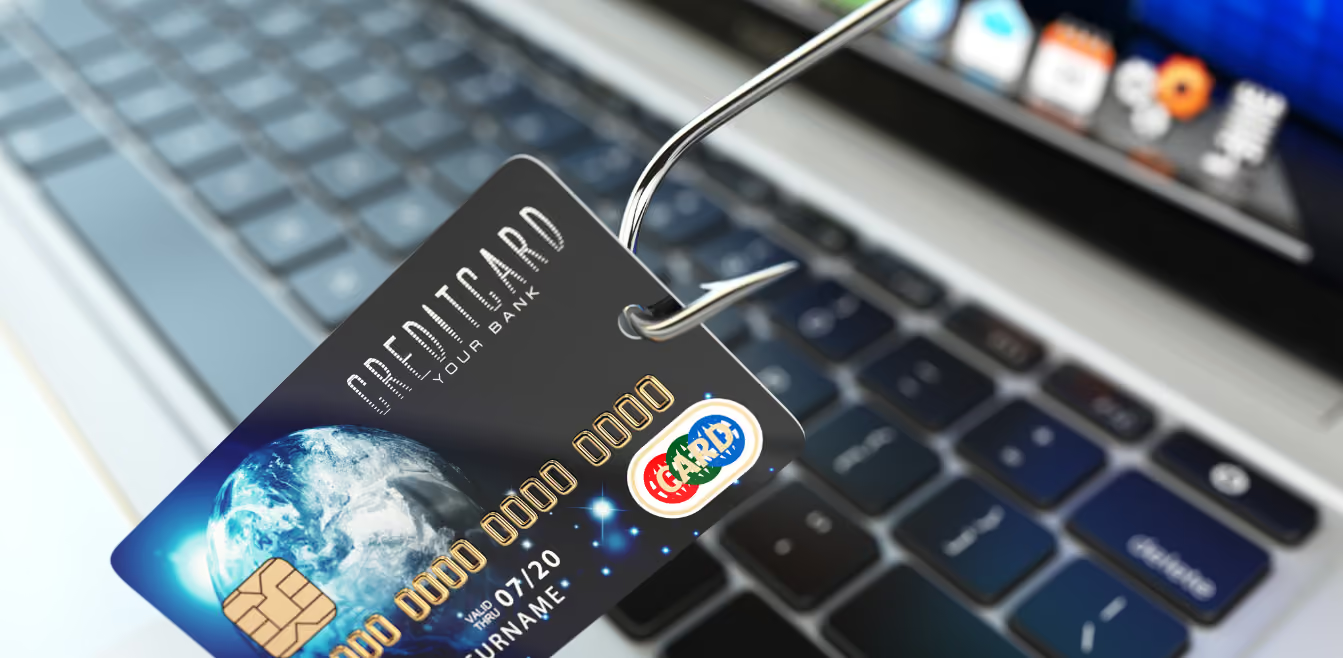
Identifying the Signs of Identity Theft: What to Look Out For
Identity theft is a growing concern in our increasingly digital world, affecting millions of people each year. It occurs when someone unlawfully obtains your personal information to commit fraud or theft.
Recognizing the signs of identity theft early on can significantly reduce its impact, helping victims recover more quickly. In this blog post, we will delve into the knowledge needed to identify the early warning signs of identity theft, emphasizing the importance of staying vigilant.
What is Identity Theft?
Identity theft involves the unauthorized access and use of someone else's personal information for fraudulent purposes. It can manifest in various forms, from financial fraud, where thieves open accounts or make purchases in your name, to more complex schemes like medical identity theft or tax fraud.
Thieves often obtain personal information through stolen mail, data breaches, or phishing scams. The consequences of identity theft can be far-reaching, leading to financial loss, damage to credit scores, and a long, complicated recovery process.
3 Key Signs of Identity Theft
Awareness of the early signs of identity theft can help you act swiftly to mitigate its effects. Here are some indicators that your identity may have been compromised:
1. Unfamiliar Charges on Your Bank Statements or Credit Card Bills:
Small, unrecognized charges on your financial statements can be an early indicator of identity theft. Thieves often test the waters with minor transactions before making larger purchases.
2. Missing Mail or Bills:
If you notice that you're not receiving certain bills or statements in the mail, it could mean that someone has changed your billing address to divert your mail.
3. Errors on Your Credit Report:
Regularly reviewing your credit report is crucial. Discrepancies or accounts you don't recognize could indicate that someone else is using your identity.
These signs, among others, serve as red flags that your personal information may be at risk. In the following sections, we will discuss further signs of identity theft and the steps you can take to protect yourself and your credit.
Urgent Steps to Take If You Suspect Identity Theft
If you notice any signs of identity theft, it's crucial to act quickly:
1. Contact Your Banks and Credit Card Issuers:
Inform them about the potential identity theft and ask them to freeze or close any affected accounts.
2. Alert the Credit Bureaus:
Contact Equifax, Experian, and TransUnion to place a fraud alert on your credit reports. Consider freezing your credit to prevent new accounts from being opened in your name.
3. File a Report with the FTC:
Visit the FTC’s website or call them to report the identity theft. They provide a recovery plan and an official affidavit.
4. File a Police Report:
This provides official documentation of the theft, which can be helpful when dealing with creditors or disputing charges.
How to Protect Yourself Against Identity Theft?
Minimize your risk of identity theft by taking proactive steps to protect your personal information:
Safeguard Personal Information -
Be cautious about sharing personal information, especially online. Shred sensitive documents before disposal.
Use Strong, Unique Passwords -
And change them regularly. Consider using a password manager to keep track of them.
Enable Two-Factor Authentication -
Wherever possible, add an extra layer of security to your online accounts.
Monitor Your Accounts and Credit Report -
Regularly check your financial statements and credit report for any signs of unauthorized activity.
These measures can significantly enhance your defences against identity theft.
Conclusion
Recognizing the signs of identity theft is crucial in taking timely action to mitigate its impact. By staying vigilant and proactive, you can protect your personal information from falling into the wrong hands. In today's digital age, tools like PrivacyHawk are invaluable in the fight against identity theft.
PrivacyHawk helps you automatically control who uses and shares your personal data. It facilitates opting out or deleting your data from thousands of companies, enhancing your privacy and reducing the risk of data misuse.
With PrivacyHawk, available for free on the Apple App Store, you gain a powerful ally in safeguarding your personal information against identity theft and other privacy breaches. Embrace PrivacyHawk not just as a tool but as a critical component of your privacy protection strategy, and take a significant step towards securing your digital life.
Why Privacy Hawk is the Perfect Tool for Identity Theft Monitoring?
Privacy Hawk is an effective tool for identity theft monitoring because it offers extensive coverage through features like the Dark Web and Data Breach Monitoring. It scans a vast array of surface, deep, and dark web sources, including millions of pages and underground forums, alerting users in real time if their personal information is compromised.
Furthermore, in partnership with AIG and Assurant, Privacy Hawk provides up to $1 million in identity theft insurance, covering unauthorized transactions, legal fees, and lost wages, thereby offering financial security and peace of mind to its users. This multi-layered approach ensures that consumers are well-protected and can respond swiftly to potential identity threats. Choose PrivacyHawk today and prevent yourself from becoming a victim of ID theft.

Government Impersonation Scams: Protecting Your Personal Information
The growth of the digital age has brought both convenience and new challenges, including the rise of government impersonation scams. In these scams, individuals pretend to be government officials to steal personal information or money.
As these scams become more sophisticated, it's important to know how to protect your personal information. In this blog post, we will discuss the information and tools necessary to safeguard your data against these nefarious activities, ensuring you stay one step ahead of the scammers.
Government Impersonation Scams
At their core, government impersonation scams involve fraudsters pretending to be government officials to extract personal and financial information from unsuspecting individuals. These scams can take various forms, including fraudulent IRS tax notices, fake social security alerts, and bogus public health emergency grants.
Examples and Impact
One common example is the tax refund scam, where scammers, posing as IRS officials, email or call individuals claiming they are due for a tax rebate. However, to "process" the rebate, they require personal details like social security numbers and bank account information. According to the Federal Trade Commission (FTC), consumers reported losing over $8.8 billion to fraud in a recent year (2022), with government impersonation scams ranking high on the list.
Scammers' Contact Methods
Scammers utilize a wide range of communication methods to reach their victims, including:
Phone Calls:
Often using caller ID spoofing to appear legitimate.
Emails:
Crafted to mimic official government communications.
Text Messages:
Sending alarming messages that prompt immediate action.
Social Media:
Using fake profiles to send direct messages or post fraudulent claims
Recognizing the Red Flags
Being able to spot a government impersonation scam is the first step in protecting yourself. Here are several red flags to watch for:
1 - Urgent or Threatening Language
Scammers often create a sense of urgency or use threatening language to provoke immediate action. Phrases like "Immediate action required" or threats of jail time are common tactics used to instil fear.
2 - Requests for Payment in Unusual Forms
A genuine government entity will never demand payment via gift cards, wire transfers, or cryptocurrencies. Requests for such forms of payment are clear indicators of a scam.
3 - Asking for Personal or Financial Information
Be wary of any unsolicited communication asking for sensitive information. Government agencies have established processes and will not request personal details unexpectedly, especially through insecure channels.
4 - Unverifiable Contact Information
Scammers might provide phone numbers or links that seem official but lead back to them. Always verify contact information independently through official government websites.
By staying alert to these warning signs, you can significantly reduce the risk of falling victim to a government impersonation scam. Remember, when in doubt, it's best to err on the side of caution and verify any communication by contacting the relevant government agency directly through their official channels.
How to Protect Your Personal Information?
To safeguard your personal information in an era where government impersonation scams are becoming increasingly sophisticated, it's crucial to adopt a multi-faceted approach to security. Protecting your personal data not only helps prevent financial loss but also guards against identity theft and other forms of fraud.
1 - Secure Your Online Presence
Begin by fortifying your online accounts. Use strong, unique passwords for each account and enable two-factor authentication (2FA) wherever possible. This adds an extra layer of security, significantly reducing the risk of unauthorized access.
2 - Monitor Your Financial Statements and Credit Reports
Regularly reviewing your bank and credit card statements helps catch unauthorized transactions early. Additionally, obtain a free annual credit report from each of the three major credit bureaus (Equifax, Experian, and TransUnion) to ensure no fraudulent accounts have been opened in your name.
3 - Be Cautious with Your Social Security Number
Treat your Social Security Number (SSN) like gold. Only provide it when absolutely necessary, such as for tax reasons, credit applications, or verified employment processes. If someone asks for your SSN, inquire why they need it, how it will be used, and how they will protect it.
4 - Educate Yourself and Your Family
Knowledge is power. Educate yourself and your loved ones about the latest scams. Understanding the common tactics used by scammers can significantly reduce the chances of being deceived.
What to Do If You're Targeted?
If you find out you're targeted by a government impersonation scam, it's important to act quickly to limit any harm. The first steps include reporting the scam and protecting your personal information. Before we get into specifics, know that your actions can help stop further scams and protect others. Let's look at the immediate actions you should take to deal with such an incident.
Do Not Engage
If you receive a suspicious call or message, do not engage. Hang up or delete the message. If you're unsure about the legitimacy of a communication, contact the agency directly using verified contact information.
Report the Scam -
Report any scam attempts to the Federal Trade Commission (FTC) through their website, ftc.gov/complaint. Additionally, alert your local law enforcement and the fraud departments of your financial institutions.
Protect Your Credit -
If you suspect your personal information has been compromised, consider placing a fraud alert or a credit freeze on your credit reports. A fraud alert makes it harder for someone to open new accounts in your name, while a credit freeze locks down your credit entirely.
How to Prevent Future Incidents?
To avoid future scams, it's necessary to be proactive in protecting your personal data and privacy. Implementing security measures can help lower the risk of being scammed again. Before we dive into detailed strategies, understand that staying alert and informed about scams is crucial.
By maintaining good security habits and keeping up with new scamming techniques, you can better protect yourself. Now, let's discuss how to strengthen your defences against potential scams.
1 - Stay Informed
Scammers constantly develop new strategies. Stay ahead by keeping informed about the latest scam trends. Subscribe to newsletters from trusted organizations like the FTC or the Consumer Financial Protection Bureau (CFPB) for updates and alerts.
2 - Use Trusted Resources
Utilize resources from reputable sources to educate yourself about data privacy and security. Websites such as usa.gov, identitytheft.gov, and consumer.ftc.gov offer valuable information on protecting your personal information and dealing with identity theft.
3 - Engage in Community Education
Sharing information with your community can help protect others. Consider giving talks or workshops on the importance of data privacy and the risks of scams, leveraging your knowledge to empower your neighbourhood or online community.
Conclusion
To protect against government impersonation scams, it's important to be informed and use the right tools. Recognizing the signs of scams, keeping your personal information safe, and reacting quickly if you're targeted can help reduce your risk.
Using a privacy tool like PrivacyHawk can further protect against scams, safeguard your privacy, and keep your digital identity secure. PrivacyHawk is a useful tool for preventing data misuse and shows your dedication to maintaining privacy and security.
You can download PrivacyHawk from the Apple App Store to see how it can help with your privacy and data protection efforts.
Reporting Identity Theft: How to Detect and Who to Contact?
Identity theft is a grave issue that affects millions of individuals annually, causing significant financial and emotional distress. As technology advances, the avenues for identity theft multiply, emphasizing the importance of awareness and prompt action.
In this blog, we aim to guide readers through the crucial steps of reporting identity theft, highlighting who to contact and when to mitigate potential damage and prevent further misuse of personal information.
Early Signs of Identity Theft
Detecting identity theft at an early stage can significantly minimize its impact. Some of the early signs include:
Unrecognized charges on financial statements:
Regularly review your bank and credit card statements for unfamiliar transactions. Even small, insignificant amounts could be identity thieves testing the waters.
Credit report discrepancies:
Obtain your credit reports from different bureaus annually or more frequently, if possible, checking for unfamiliar accounts or unexpected changes in your credit score.
Missing mail or emails:
If expected bank statements or bills don't arrive, or you start receiving unexpected credit card statements, it could indicate identity theft. Ensure your mailing address hasn’t been changed without your authorization.
Unfamiliar accounts or charges on credit report:
Promptly investigate any unfamiliar accounts or charges appearing on your credit report, as these could be signs of identity theft.
Immediate Steps to Take
Once you suspect identity theft, act swiftly to minimize damage:
Placing a fraud alert on credit reports:
Contact one of the major credit bureaus to place a fraud alert on your credit reports. This alert requires creditors to verify your identity before issuing new credit.
Obtaining and reviewing credit reports:
Get your credit reports from all three major credit bureaus to understand the extent of the identity theft and review them for any further unauthorized activity.
Reporting to the local police:
File a report with your local police department. Provide all the evidence you have, and ensure you obtain a copy of the report for your records.
Documenting all steps and communications:
Keep a detailed log of all actions taken, including dates, times, whom you spoke to, and the information provided. This documentation may be crucial when disputing fraudulent charges or accounts.
Reporting to the Right Authorities
Now that you've taken initial steps, it's time to report to the appropriate authorities:
A. Federal Trade Commission (FTC):1. Filing a report online:
Visit the FTC’s identity theft reporting website and provide detailed information about the theft.
2. Importance of reporting to the FTC:
Reporting to the FTC helps in gathering nationwide data about identity theft, aiding in policy and law enforcement actions to combat this issue.
B. Your Financial Institutions:1. Contacting banks and credit card companies:
Notify all your financial institutions about identity theft, and follow their advice on the next steps to secure your accounts.
2. Disputing fraudulent charges: Dispute any fraudulent charges on your accounts and keep records of all communications for future reference.
These initial steps and the subsequent reporting to the relevant authorities form the cornerstone of your response to identity theft. Acting promptly and methodically can help curb the damage and secure your personal information against future thefts.
Protecting Yourself from Future Incidents
After addressing the immediate concerns of identity theft, it’s vital to establish measures to protect yourself from future incidents:
Regularly monitoring credit reports and financial statements:
Stay vigilant by frequently reviewing your financial statements and credit reports for any discrepancies. Sign up for free credit monitoring services if available.
Setting up account alerts:
Many financial institutions offer account alerts for any unusual activity or transactions exceeding a specified amount. These notifications can provide real-time awareness of potential unauthorized activity.
Consider investing in identity theft protection services:
Identity theft protection services offer an additional layer of security by monitoring various databases and networks to detect fraudulent use of your personal information.
Other Important Contacts
In certain cases, other organizations may need to be contacted:
1. Internal Revenue Service (IRS) if tax fraud is suspected:
If you suspect that your Social Security number has been used fraudulently for tax purposes, report this to the IRS to prevent tax-related identity theft.
2. Social Security Administration if Social Security number is misused:
Reporting misuse of your Social Security number to the Social Security Administration can help in preventing fraudulent use of your identity for benefits or work.
Conclusion
Identity theft is an alarming and invasive crime that can have long-term implications on your financial well-being. You can mitigate the damage and secure your personal future by taking quick action, reporting to the right authorities, and setting up protective measures. This guide provides a structured approach to handling identity theft, ensuring you cover all bases in the reporting and resolution process.
Real-Life Stories: How Data Privacy Breaches Impacted Individuals
The significance of data privacy cannot be overstated in today’s world. Every day, we share our personal information with various online platforms, from social media to online banking, trusting that our data will remain secure. As the digital footprint of individuals expands, so does the risk of data privacy breaches. These incidents are not just statistics; they have real, often devastating, impacts on individuals' lives.
This article delves into the personal narratives of those who have endured the consequences of such breaches. Through their stories, we aim to shed light on the often-overlooked human aspect of data privacy violations. But before we dive into these real-life accounts, let's first understand the basics of data privacy and what exactly constitutes a data breach. Prepare to be enlightened and perhaps a bit startled by the reality of how fragile our digital security can be.
What is Data Privacy, and How Do Data Breaches Occur?
Data privacy, at its core, refers to the right of individuals to have control over how their personal information is collected, used, and shared. This encompasses everything from your name and address to more sensitive data like your social security number, financial records, and online behaviour.
A data breach occurs when there is unauthorized access to or acquisition of sensitive personal information that creates a risk of harm to a person. This can happen through various means such as hacking, phishing scams, malware attacks, or even through simple human error like misplacing a laptop containing sensitive information.
Real-Life Stories of Data Privacy Breaches
Data's value is often likened to currency in this digital era, underscoring the critical importance of protecting personal information. Despite advancements in security technology and an increased focus on data safety, breaches continue to occur, leaving a trail of affected individuals and organizations across the globe. These incidents are more than mere statistics; they represent significant disruptions to people's lives and work.
Story # 1
Data Exposure at a Major Airline:
In a significant security lapse, Pegasus Airline, a well-known Turkish carrier, inadvertently exposed a vast amount of personal data online. This incident, identified in June 2022, involved the accidental misconfiguration of a cloud database by an airline employee, leading to the exposure of around 23 million files. These files contained critical information like flight charts, navigation data, and flight crew details.
Additionally, the compromised database included around 400 files containing unencrypted passwords, secret keys, and vital software source code. This incident underscores the importance of rigorous security measures in handling sensitive data, especially when utilizing third-party cloud services.
Story # 2
Sabotage by a Dismissed System Administrator
A disgruntled former system administrator at Georgia-Pacific, a paper manufacturing company, was sentenced to 34 months in prison following his retaliatory actions against the company. After being laid off, Brian Johnson, who had worked for the company for 15 years, misused his still-active login credentials to access the company's servers remotely.
From his home, he interfered with the industrial control systems for over two weeks, causing over $1.1 million in damages due to production delays at the Port Hudson, Louisiana facility.
Story # 3
Credit Card Fraud at a Fast-Food Chain
A Taco Bell employee was apprehended for illicitly capturing and using customers' credit card information. The case came to light in June 2022 when a customer's credit card was fraudulently used at a nearby Pizza Hut.
The investigation led to Laquawanda Hawkins, a 36-year-old employee working at Taco Bell's drive-thru. Surveillance footage showed her photographing customer bank cards and using the details for purchases both online and in local stores.
Story # 4
Widespread Phishing Attack on Healthcare Service
The National Health Service (NHS) faced a significant cybersecurity threat when over 130 of its email accounts fell victim to a sophisticated phishing scam. This attack, spanning from October 2021 to March 2022, involved 1,157 phishing emails, as reported by the cloud security company Inky.
These emails, originating from NHS mail accounts, directed recipients to a fraudulent Microsoft 365 login page, resulting in the compromise of at least 139 email accounts. The actual impact of this phishing campaign might be even broader, as the investigation was limited to the attacks against Inky's clients.
Story # 5
Corporate Espionage in a Technology Firm
General Electric, a renowned multinational corporation, discovered in July 2022 that an employee had illicitly accessed and stolen over 8,000 sensitive documents over an eight-year period. Jean Patrice Delia, an engineer at the company, manipulated an IT administrator to gain access to confidential data, which he planned to use to start a competing business.
The FBI's investigation revealed that Delia had been emailing this sensitive information to an accomplice. He was ultimately convicted and sentenced to up to 87 months in prison for his actions.
Preventative Measures Against These Practices
In the wake of rising data privacy breaches, it is imperative to adopt robust preventive measures and best practices to protect personal data. The following tips and tools can significantly enhance your online security and data privacy:\
1. Educate Yourself and Stay Informed: Regularly update your knowledge about the latest data protection methods and potential cyber threats. Staying informed is the first step in proactive data protection.
2. Use Strong, Unique Passwords: Employ complex and unique passwords for each of your accounts. Consider using a reliable password manager to securely store and manage these passwords.
3. Enable Two-Factor Authentication: Wherever possible, activate two-factor authentication (2FA) for an added layer of security.
4. Regularly Update Software and Security Systems: Ensure that all your devices and applications are up-to-date with the latest security patches and updates.
5. Be Wary of Phishing Attempts: Educate yourself on identifying phishing emails or messages. Always verify the authenticity of requests for personal information.
6. Limit Data Sharing: Be cautious about the amount of personal information you share online, especially on social media platforms.
7. Use Privacy-Enhancing Tools: Incorporate tools like VPNs, encrypted messaging apps, and privacy-focused browsers to safeguard your online activities.
8. Leverage Privacy Apps like PrivacyHawk: PrivacyHawk is an innovative app designed to take your data privacy to the next level. It assists you in identifying companies that possess your personal data, helps you make informed decisions on which ones to opt out of, and automates the process of making these companies delete your data or prevent its sharing with affiliates and third parties.
Conclusion
The stories and insights shared in this article underscore the undeniable importance of data privacy in our increasingly digital world. As we've seen, breaches can have profound impacts, not just on businesses but on the lives of individuals. Protecting personal information is not just a recommendation; it's a necessity.
It's crucial to be proactive in safeguarding your data. Employing strong passwords, being vigilant about potential scams, and using advanced tools like PrivacyHawk can make a significant difference in your digital safety. PrivacyHawk, with its comprehensive features, stands as a robust ally in the fight against data misuse, offering both protection and peace of mind.
In an era where data breaches are all too common, taking control of your digital privacy is essential. We encourage you to take these steps and utilize tools like PrivacyHawk to defend your personal information. PrivacyHawk also offers the convenience of mass unsubscribing from marketing emails and provides crucial security alerts about breaches that might impact your personal data. PrivacyHawk is available in the Apple App Store and can be installed for free on any mobile device using iOS.
Identity Theft Warning Signs: Early Indicators of Potential Scams
In an era where digital interactions are commonplace, protecting your personal information has never been more crucial. Identity theft is legally recognized as the deliberate use of another individual's identifying information, usually for financial gain, without their consent.
In practical terms, identity theft occurs when someone steals personal information such as your Social Security number, bank account details, or credit card number to impersonate you, usually to commit financial fraud or other crimes. From a technical standpoint, identity theft involves the unauthorized access, collection, or dissemination of personal information through digital means.
This could be achieved through phishing, malware, hacking, or other cyber-attack methods that aim to access sensitive personal data for malicious purposes. The implications of identity theft are vast, affecting your personal and financial security. Recognizing the early signs of potential identity theft and taking proactive measures can significantly mitigate the risks involved.
4 Common Warning Signs of Identity Theft
Navigating through the digital world requires a keen eye to spot anomalies that could indicate potential identity theft. Here are some common warning signs that you should be aware of:
1 - Unfamiliar Accounts or Charges:
Financial discrepancies are often the first sign of identity theft. Paying attention to your financial statements can help catch identity theft early.
Unrecognized Transactions:
Check your bank statements regularly for transactions that you do not recognize. These could be small charges, as thieves often test with small amounts to see if account owners notice.
New Accounts or Charges on Your Credit Report:
Keep an eye on your credit reports for new accounts or charges you didn’t authorize. This could indicate that someone has gained access to your financial information.
2 - Unusual Login Activity:
Your online accounts are treasure troves of information for identity thieves. Monitoring the login activity on your accounts can provide early indications of unauthorized access.
Unfamiliar Login Notifications:
Receiving notifications of logins from unfamiliar locations or devices is a red flag. Make sure to change your passwords and notify the respective institutions.
Failed Login Attempts or Password Reset Emails:
If you receive unexpected password reset emails or notifications of failed login attempts that weren't initiated by you, take immediate action to secure your accounts.
3 - Unexpected Contact from Financial Institutions:
Communication from financial institutions regarding unfamiliar activities in your name should be taken seriously, as it might be a sign of identity theft.
Unknown Account Inquiries:
If you receive calls or emails from banks or credit card providers regarding accounts you didn’t open, investigate immediately.
Unexpected Credit Report Inquiries:
Unfamiliar inquiries on your credit report can be a sign of someone trying to open new accounts in your name.
4 - Receiving Mysterious Bills or Notices:
Receiving bills for unfamiliar services or products could be alarming and must be addressed promptly to prevent further damage.
Bills for Unpurchased Services or Products:
Receiving bills for services or products you didn’t purchase is a blatant red flag.
Unexpected Medical Bills:
If you receive medical bills for treatments you didn’t have, someone may be using your identity for medical services.
3 Online Scams Leading to Identity Theft
The internet is a double-edged sword, providing convenience while exposing individuals to potential scams. Here are some online scams that often lead to identity theft:
1 - Phishing Scams:
Phishing scams are designed to trick you into divulging personal and financial information. Awareness and caution can help prevent falling for these scams.
Request for Sensitive Information:
Be wary of emails or messages that request your sensitive information. Legitimate institutions will never ask for your personal information via email or text.
Fake Website Redirects and Login Pages:
Always check the URL to ensure you’re on a legitimate site, especially before entering any personal information.
2 - Malware and Spyware:
Malicious software can infiltrate your devices and access sensitive information. Staying updated with the latest security software is key to protection.
Unexpected System Behavior:
If your device starts behaving unusually or performance drops suddenly, run a malware scan immediately.
Unwanted Pop-ups and Software Installations:
Be cautious of unexpected pop-ups and software installations, as they could be a sign of malware.
3 - Social Engineering Scams:
Social engineering scams manipulate individuals into divulging personal information. It is crucial to be cautious about sharing personal information, especially with unfamiliar individuals.
Deceptive Requests for Personal Information:
Beware of requests for personal information through deceptive social interactions, both online and offline.
Impersonation of Trusted Individuals:
Be cautious when contacted by someone impersonating a trusted individual or organization. Always verify their identity through a separate communication channel.
Effective Measures to Avoid Identity Theft
Taking the helm of your digital safety requires proactive measures. By adopting stringent measures and staying informed, you can significantly reduce the likelihood of identity theft. Here are some proactive steps you can take:
1 - Strong Password Policies:
In the digital world, a password often acts as the first line of defence against unauthorized access. Strengthening your password policies can considerably enhance your online security.
Using Unique, Complex Passwords:
Create passwords that are difficult to guess by including a mix of uppercase and lowercase letters, numbers, and special characters. Each online account should have a unique password to prevent a single breach from compromising multiple accounts.
Enabling Two-Factor Authentication (2FA):
2FA provides an additional layer of security by requiring not only a password and username but also something that only the user has on them, like a piece of information they should know or have immediately on hand - like a physical token.
2 - Regular Monitoring and Auditing:
Regularly reviewing and monitoring your financial and personal accounts can help you spot and address irregularities before they escalate into serious issues.
Monitoring Bank and Credit Card Statements:
Regularly review your bank and credit card statements for unfamiliar transactions. Early detection of fraudulent activity can significantly mitigate potential damage.
Reviewing and Disputing Unfamiliar Entries in Credit Reports:
Check your credit reports frequently for unfamiliar entries. If you find any discrepancies, dispute them immediately with the credit bureau and the respective financial institution.
3 - Educating Yourself and Others:
Knowledge is power, especially when it comes to protecting yourself from identity theft. By educating yourself and others, you create a well-informed community that's better equipped to prevent identity theft.
Staying Updated on Common Scams and Identity Theft Tactics:
Follow reputable sources to stay updated on the latest scams and identity theft tactics. Being aware of common threats allows you to recognize and avoid potential scams.
Sharing Knowledge with Friends and Family to Spread Awareness:
Share the knowledge you acquire with your friends and family. Educating your close circle creates a ripple effect that can help protect your community from identity theft.
Conclusion
In the battle against identity theft, employing robust tools like PrivacyHawk can be a game-changer. PrivacyHawk facilitates the automatic deletion of your data from various online platforms. You can take the first step towards enhanced digital privacy by trying PrivacyHawk for free on the App Store today.
Stay vigilant and proactive in protecting your personal information online. Leverage the power of tools like PrivacyHawk, share the knowledge, and encourage others to adopt good cybersecurity practices. Together, we can contribute to creating a safer online space for all.
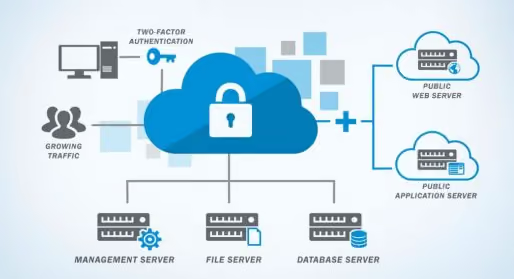
Cloud Security: Best Practices for Data Storage and Sharing
In our increasingly connected world, cloud computing has emerged as a fundamental technology, reshaping how we store, access, and manage data. Cloud computing refers to delivering various services through the Internet, including data storage, servers, databases, networking, and software. From personal files and photos to critical business data, the cloud has become an indispensable storage solution, offering scalability, accessibility, and flexibility.
With its flexibility, scalability, and cost-efficiency, cloud computing has revolutionized the way we store and access data, making it an integral part of everyday life for both individuals and organizations. As much as cloud computing offers convenience and efficiency, it also brings forth significant security concerns.
With vast amounts of sensitive data being stored and accessed on the cloud, ensuring its security is paramount. Breaches can lead to significant data loss, privacy violations, and financial and reputational damage, making cloud security a critical aspect of modern-day data management.
What is Cloud Security and How Can It Affect You?
Grasping the fundamentals of cloud security is essential in today's data-driven world. This includes various threats and vulnerabilities inherent in cloud computing and understanding how to mitigate these risks effectively, ensuring a secure cloud environment for users and organizations alike.
Basics of Cloud Security:
Cloud security is a broad discipline that encompasses a range of policies, technologies, applications, and controls utilized to protect virtualized IP, data, applications, services, and the associated infrastructure of cloud computing.
Cloud security is crucial for protecting data from theft, leakage, and deletion. Methods of providing cloud security include firewalls, penetration testing, obfuscation, tokenization, virtual private networks (VPN), and avoiding public internet connections.
Common Threats in Cloud Computing:
The cloud environment faces several security threats, including data breaches, data loss, account hijacking, service traffic hijacking, insecure interfaces, and API vulnerabilities. Additionally, shared technology vulnerabilities in a multi-tenant environment and the lack of a clear understanding of the cloud service provider’s security model can contribute to security risks.
Impact of Cloud Breaches:
The consequences of cloud security breaches are far-reaching. They can range from financial losses due to business disruption and legal liabilities to reputational damage and loss of customer trust. In severe cases, breaches can lead to regulatory fines, especially if the data involved is subject to privacy laws like GDPR or HIPAA.
Best Practices for Secure Cloud Storage
Secure cloud storage is the backbone of digital data protection. Some best practices include choosing the right cloud service provider, implementing encryption, having robust backup strategies, and ensuring that your data in the cloud remains safe and protected against unauthorized access or loss.
1 - Choosing a Secure Cloud Service Provider:
Selecting a secure cloud service provider is fundamental. Look for providers with a strong reputation for security, transparent policies regarding data access and control, and robust infrastructure. Ensure they offer features like data encryption, regular security audits, and compliance with industry-standard certifications and regulations.
2 - Data Encryption:
Encrypting data before uploading it to the cloud is one of the most effective ways to secure information. Encryption transforms data into a coded form that requires a key to decode, ensuring that it remains unreadable and secure even if it is intercepted or accessed without authorization.
3 - Backup and Recovery Plans:
Having a robust backup and recovery plan is essential. Regularly back up data to a separate location and ensure your cloud provider offers comprehensive recovery services. This practice safeguards against data loss due to accidents, technical failures, or cyber-attacks.
Best Practices for Secure Cloud Sharing
When it comes to sharing data over the cloud, security should never be compromised. This includes controlled access to data, secure file-sharing practices, and the importance of regular monitoring, providing readers with actionable guidelines to maintain data integrity and confidentiality in collaborative cloud environments.
Controlled Access and User Permissions:
Managing who has access to your cloud data is critical. Implementing strict access controls and user permissions can prevent unauthorized access and data breaches. Ensure that only those who need access to specific data have it and regularly review and update these permissions.
Secure File Sharing Practices:
When sharing files over the cloud, always use secure methods. Avoid sharing sensitive data through unencrypted channels. Utilize the cloud provider's secure file-sharing tools, which often include encryption and the ability to track and manage who has accessed the file.
Monitoring and Auditing:
Regularly monitoring and auditing your cloud environment is key to maintaining security. Track who is accessing data and what changes are being made. Many cloud providers offer tools for real-time monitoring and logging, which can be invaluable for detecting and responding to potential security incidents.
3 Most-Advanced Cloud Security Measures
Advanced security measures are pivotal in reinforcing cloud security. By exploring the importance of Multi-Factor Authentication, the use of VPNs, and the necessity of regular software updates, this section offers insights into additional layers of security that can be employed to safeguard sensitive data in the cloud.
1 - Multi-Factor Authentication (MFA):
A cornerstone of advanced cloud security, Multi-Factor Authentication (MFA) adds a critical layer of security by requiring users to provide two or more verification factors to gain access to a resource like an online account, VPN, or database. MFA can dramatically reduce the risk of unauthorized access, as it combines something the user knows (like a password) with something they have (like a smartphone app or a security token).
2 - Using Virtual Private Networks (VPNs):
Utilizing a Virtual Private Network (VPN) is another robust method to enhance cloud security. VPNs create a secure, encrypted connection over a less secure network, such as the Internet, ensuring that data transmitted between your device and the cloud service remains protected from interception or eavesdropping.
3 - Regular Security Updates and Patches:
Keeping software up-to-date is crucial in defending against cyber threats. Regular updates and patches often include fixes for security vulnerabilities that have been discovered since the last iteration of the software. Ensuring that cloud services and applications are always updated minimizes the risk of being compromised by attackers exploiting outdated software.
Legal and Compliance Considerations
Knowing the legal and compliance landscape is a critical aspect of cloud security. Let's discuss in detail the importance of understanding and adhering to data privacy laws and industry standards, underscoring the need for compliance as a fundamental element of any effective cloud security strategy.
Understanding Data Privacy Laws:
In the context of cloud security, an understanding of relevant data privacy laws is essential. Laws like the General Data Protection Regulation (GDPR) in Europe, the California Consumer Privacy Act (CCPA), and the Health Insurance Portability and Accountability Act (HIPAA) in the U.S. impose specific requirements for data security and handling. Adhering to these regulations is critical to avoid legal penalties and ensure ethical handling of data.
Compliance with Industry Standards:
Beyond legal requirements, complying with industry standards and best practices is vital for robust cloud security. Standards like ISO 27001, the Payment Card Industry Data Security Standard (PCI DSS), and the National Institute of Standards and Technology (NIST) framework provide guidelines for securing data in the cloud. Adherence to these standards demonstrates a commitment to security and can enhance trust with customers and partners.
Conclusion
Cloud security is a multifaceted domain requiring vigilance, proactive strategies, and an awareness of legal and compliance obligations. By embracing best practices for data storage and sharing, leveraging advanced security measures, and adhering to legal requirements and industry standards, organizations and individuals can significantly enhance the security of their cloud-based operations.
Implementing these cloud security practices is a technical necessity and a strategic move to protect your valuable data assets. As you navigate the complexities of cloud security, consider consulting with experts and exploring specialized solutions to bolster your defences. Stay informed, stay secure, and make cloud security a top priority in your digital strategy.

AI in Smart Homes: Privacy Concerns and Best Practices
The advent of Artificial Intelligence (AI) has significantly amplified the capabilities of smart homes, making life more convenient and efficient. However, this convenience often comes at the cost of personal privacy. The interplay between AI and smart homes presents a unique set of privacy concerns that must be addressed. This article delves into the privacy implications and the regulatory landscape and suggests best practices to balance convenience with privacy. So, let's begin:
Understanding the Privacy Concerns
The modern smart home is a haven of connectivity, with many devices interacting seamlessly to create a comfortable and efficient living environment. However, this connectivity comes at the cost of data privacy.
Each device, armed with sensors and AI capabilities, continuously collects data to optimize its functionality and offer personalized experiences. While this data collection enhances convenience, it opens Pandora's box of privacy concerns that are crucial to address.
The following points elucidate some of the primary privacy issues associated with AI in smart homes:
Data Collection:
Smart home devices, aided by AI, collect vast amounts of data. The breadth of data collected is extensive, ranging from personal preferences in lighting and temperature to sensitive information through security systems.
Data Storage:
Often, the data is stored on cloud servers, which, while facilitating remote access and control, become potential targets for cyber-attacks.
Data Sharing:
The sharing of collected data with third-party entities for advertising or data analysis purposes is a common practice, which raises concerns about consent and data misuse.
Surveillance Concerns:
The potential for overreach or misuse of surveillance capabilities, either by malicious actors or device manufacturers, is a significant concern that cannot be overlooked.
Regulations and Compliance
The regulatory framework governing smart home data privacy is still evolving. Key regulations like the General Data Protection Regulation (GDPR) in Europe and the California Consumer Privacy Act (CCPA) in the US are pioneering in setting standards for data protection in the realm of smart home technologies.
Best Practices for Ensuring Privacy
Preserving privacy in the milieu of smart home technology is a nuanced endeavour. As smart home ecosystems become more intricate with the integration of AI, the onus of ensuring data privacy falls not only on the manufacturers but also on the end-users.
Adopting a proactive approach towards privacy can significantly mitigate the risks associated with data exposure. Here are some pragmatic practices to foster a privacy-centric smart home environment:
User Education:
Educating users about the capabilities of their smart home devices and how to manage privacy settings is the first step towards ensuring privacy.
Data Encryption:
Encrypting data in transit and at rest can significantly reduce the risks associated with data breaches.
Regular Software Updates:
Keeping smart home devices updated with the latest security patches is crucial for protecting against known vulnerabilities.
Minimal Data Collection:
Designing systems to collect only the necessary data can help in minimizing privacy risks.
Opt-In/Opt-Out Features:
Providing users with options to opt in or opt out of data collection can give them better control over their privacy. Moreover, PrivacyHawk can also help you opt out of various companies.
The Future of Privacy in Smart Homes
The trajectory of smart home technologies is unequivocally upward, with more homes becoming smart homes every day. However, alongside this upward trajectory, the discussions around privacy are becoming more nuanced and critical. The future of privacy in smart homes hinges on a fine balance between leveraging AI for convenience and ensuring robust privacy safeguards.
One of the exciting developments is the emergence of privacy-preserving technologies like Federated Learning and Differential Privacy. Federated Learning enables smart home devices to learn from user data without actually sending the raw data to a centralized server, thereby preserving user privacy. On the other hand, Differential Privacy adds a level of anonymity to the data, ensuring that the data shared for analysis does not reveal individual identities.
Moreover, there's a growing awareness among consumers about the importance of data privacy. This awareness is catalyzing a market for smart home devices that prioritize privacy, thereby compelling manufacturers to adopt privacy-centric designs and features. The advent of privacy labels and certifications is also a step towards more transparent privacy practices in smart home ecosystems.
Conclusion
The fusion of AI and smart homes presents a landscape ripe with convenience yet intertwined with notable privacy concerns. Navigating this privacy maze is a collective endeavour that calls for the conscientious efforts of regulators, manufacturers, and users alike.
A culture of privacy preservation, bolstered by informed choices and the employment of robust privacy tools, is pivotal to harnessing the benefits of smart homes securely. One such tool facilitating the journey towards data privacy is PrivacyHawk. It is designed to automatically delete your data from various platforms, identify companies holding your personal data, and facilitate mass deletion to safeguard your privacy.
Available for a free trial on the App Store, PrivacyHawk serves as a commendable ally in the quest for data privacy amidst the burgeoning smart home ecosystem. By staying informed, embracing best practices, and leveraging privacy-centric tools like PrivacyHawk, we can tread the path of technological advancement with privacy assurance intact.

Top 2 Data Brokers You Should Be Aware Of
In the vast landscape of data privacy, the role of data brokers often remains in the shadows, yet their impact on our personal information is profound. Data brokers are entities that specialize in collecting, aggregating, and selling vast amounts of data about individuals. They operate largely behind the scenes, but their actions can significantly affect your online and offline life.
In this article, we shed light on the world of data brokers by unveiling some of the top players in the industry. Moreover, we will delve into the kinds of data they gather, the sources they tap into, what are their privacy implications, and most importantly, how you can take control of your data by opting out of their reach. Let’s take a look at the top data broker companies and discuss how you can opt out of them:
1- Experian
Experian is a data broker specialising in collecting, processing, and providing financial data on individuals. Here's how Experian functions as a data broker, where it collects data, and the privacy implications associated with its services:
Data Broker Role:
Experian operates as a data broker by aggregating and managing vast amounts of financial and credit-related information about individuals. They then provide this information to various entities, including lenders, landlords, background checkers, employment screeners, and more, to help them assess the creditworthiness and financial history of individuals.
Data Collection Sources:
Experian collects data from a variety of sources to compile comprehensive profiles of individuals. Some of the primary sources of data include:
Credit Bureaus:
Experian, along with Equifax and TransUnion, is one of the three major credit bureaus in the United States. They receive credit-related data from creditors, lenders, and financial institutions. This data includes information on credit card accounts, loans, mortgages, payment history, and more.
Public Records:
Experian gathers data from public records, such as tax liens, bankruptcies, and court judgments, which can impact an individual's creditworthiness.
Non-Credit Data:
Experian also collects data from various other sources, such as utility companies, rental payment histories, and even social media profiles. This additional data may be used to supplement credit reports and provide a more comprehensive view of an individual's financial behaviour.
Privacy Implications:
Experian's data collection and data brokering practices have significant privacy implications:
Data Accuracy:
The accuracy of the information collected by Experian is crucial, as it directly impacts individuals' credit scores and financial opportunities. Inaccurate data can lead to incorrect credit assessments and potentially harm an individual's financial well-being.
Data Security:
Safeguarding the vast amount of sensitive financial data they hold is critical. Any data breaches or security lapses can lead to identity theft and financial fraud.
Data Usage:
Experian's data is used by various entities to make important decisions, such as loan approvals, employment screenings, and housing rentals. This puts individuals at the mercy of these decisions, and inaccuracies or biases in the data can lead to unfair treatment.
Lack of Control:
Individuals often have limited control over the data that Experian collects and shares. While they can access their credit reports and dispute inaccuracies, they may not have direct control over how their data is used or who accesses it.
Data Profiling:
Experian's extensive data allows for detailed profiling of individuals, which can lead to personalized marketing and advertising. This raises concerns about user privacy and potential manipulation through targeted advertisements.
How to Opt-Out from Experian?
To opt-out from Experian:
Visit Experian's official website.
Look for the "Consumer Support" section.
Find the "Opt-Out" or "Manage Your Preferences" option.
Select the opt-out choice you want (e.g., marketing offers).
Follow the provided instructions, including verifying your identity.
Submit your request, and keep a record.
Allow some time for the opt-out to take effect.
Opting out limits Experian's sharing of your data for purposes like marketing. It doesn't remove your credit information from their reports. Similar options exist for other major credit bureaus (Equifax, TransUnion) to enhance your privacy.
2 - Acxiom
Acxiom is a data brokerage company that specializes in collecting, analyzing, and providing consumer data to businesses and organizations for various purposes, including marketing, advertising, and customer relationship management.
Data Collection Sources:
Acxiom collects data from various sources, including:
Public Records:
They gather publicly available information from government records, court filings, and other public sources.
Data Aggregators:
Acxiom may purchase data from other data aggregators and brokers, expanding their dataset.
Online Activity:
They may track individuals' online behaviour, such as website visits and interactions, to create profiles and target advertising.
Survey Data:
Acxiom may collect data from online or offline surveys and questionnaires.
Consumer Transactions:
Information from consumer transactions, such as purchases and subscriptions, is often used to build consumer profiles.
Social Media:
Data from social media platforms may be used to supplement their consumer profiles.
Partnerships:
Acxiom may have partnerships with various companies that provide them with access to specific data sets.
Privacy Implications:
The use of data by data brokers like Acxiom has raised several privacy concerns:
Data Profiling:
Acxiom creates detailed profiles of individuals, which can include personal information, preferences, and behaviours. This profiling can be used for targeted advertising but can also raise concerns about privacy and the potential for discrimination.
Lack of Consent:
Individuals may not always be aware that their data is being collected and used by Acxiom, and they may not have consented to such data collection.
Data Security:
Storing and transmitting vast amounts of personal data carries security risks. Data breaches at data brokers can expose sensitive information to malicious actors.
Third-Party Sharing:
Data collected by Acxiom may be shared with third parties, including advertisers and marketers, which can result in unwanted marketing communications and potential invasions of privacy.
Opt-Out Challenges:
Acxiom and similar companies often provide opt-out mechanisms for individuals who wish to limit the use of their data. However, navigating these opt-out processes can be complex, and many people may not be aware of their options.
Regulatory Scrutiny:
Data brokers have faced increased regulatory scrutiny, with governments and privacy advocacy groups calling for more transparency and regulation of their activities.
How to Opt-Out from Acxiom?
To opt out of Acxiom's data collection and marketing:
Visit their opt-out page at https://www.acxiom.com/about-us/privacy/optout/.
Provide your information and verify your identity.
Submit your opt-out request.
Save the confirmation for your records.
Remember that it may take time to process your request, and you might need to do this with other data brokers for full privacy control.
Additional Tips for Protecting Your Privacy
Here are some additional tips and tricks that can help you protect your privacy from these companies:
Regularly review your social media privacy settings and limit the data you share.
Use a VPN to hide your IP address and protect your online activities.
Employ browser extensions that block tracking cookies.
Be cautious when sharing personal information online.
Consider using encrypted communication tools for sensitive conversations.
Conclusion
In conclusion, data broker companies like Experian and Acxiom play a significant role in the digital landscape. It is essential to be aware of their data collection practices and take steps to protect your privacy.
Privacy Hawk can help you opt out of these data brokers and reduce your risk of being targeted by scams, fraud, and identity theft. By opting out and adopting privacy-conscious habits, you can regain control over your personal data and reduce the risks associated with data brokerage.
Remember, staying informed and proactive is the first step towards safeguarding your personal data in the age of data brokers. Share this information with others to raise awareness and collectively protect our digital privacy.
The US States Privacy Laws For 2023
The United States is a leader in data privacy, and the laws governing data privacy are rapidly evolving. In 2023, the US will introduce new state privacy laws to protect citizens’ data. These laws cover many topics, from stronger data security measures to increased transparency.
Furthermore, they will give consumers more control over how their data is used. As these new laws come into effect, it is important for people to understand the implications and to ensure that their data-handling practices comply with the new regulations.
With the right knowledge and guidance, people can protect customers’ digital privacy and ensure compliance with the new US data privacy laws in 2023.
What is Meant by The US States Privacy Laws For 2023?
The US States Privacy Laws For 2023 refer to a set of state-level laws that will go into effect in 2023, designed to protect consumers' privacy within the United States. These laws will set standards for companies to collect, use, and protect their customers' data.
The laws will also require companies to provide consumers with more transparency and control over their data, such as the right to consent to data collection and request access to their data.
The 5 US States Privacy Laws For 2023
Being a US citizen, it’s important to know details about privacy to save yourself from becoming a victim or acting against them. The US is a huge country with fifty states, making it difficult to implement similar privacy laws for each state.
That’s why the privacy laws for each state in the coming year 2023 will be different, depending on each state's needs. So, let’s keep an eye on them.
1. California
Previously a huge issue, the sale of user data is no longer allowed in California. The California Consumer Privacy Act of 2023 now gives users the right to delete their data to prevent it from being unauthorized sold. The act also requires companies to provide information about their data practices and protect personal data from unauthorized access, use, and disclosure.
2. Massachusetts
The Massachusetts Data Privacy Protection Act (MDPA) of 2023 requires companies to obtain affirmative consent from consumers before collecting, using or disclosing personal data. It also requires companies to provide clear notice of their data practices, to ensure that personal data is kept secure from unauthorized access, and to provide consumers with the right to access and delete their data.
3. New York
The New York Privacy Act (NYPA) of 2023 requires companies to give consumers the right to stop the sale of their data and to provide clear and conspicuous notice of their data practices. It also requires companies to protect personal data from unauthorized access. The NYPA has taken a huge step towards protecting user data from marketers and advertisers who try to misuse data.
4. Illinois
The Illinois Data Protection and Privacy Act (IDPPA) of 2023 require companies to provide clear notice of their data practices and to obtain affirmative consent from consumers before collecting data.
In 2023, Illinois privacy laws will likely remain largely unchanged from the current laws. Illinois' Biometric Information Privacy Act (BIPA) is one of the strongest data privacy laws in the US. A company that violates the law can be sued for damages.
5. Texas
In 2023, the Texas Legislature is expected to introduce new legislation strengthening the state's privacy laws. This legislation will likely include enhanced requirements for companies that collect, use, and share personal information.
As part of it, you may also have access to and delete your personal information and other new rights. The proposed legislation also includes penalties for companies that fail to comply.
Final Words
PrivacyHawk is an excellent privacy manager for the U.S. states' Privacy Laws For 2023. Most people don't know that these laws allow them to send 'Do not Sell or delete requests', so PrivacyHawk can help people enforce those rights the laws give them. It also provides a comprehensive, user-friendly platform to help people understand, track, and comply with the ever-evolving privacy landscape.
It offers robust features such as real-time alerts and analytics, data mapping, security assessments, and customizable reports, making it an ideal solution for people looking to stay compliant and protect their customers’ data. Stay ahead of the curve on changing data privacy requirements; sign up for a free trial of PrivacyHawk today!
6 Tips You Must Try To Keep Your Personal Information Secure
Do you know almost 15 million people become victims of identity theft each year? Families and homes have been destroyed due to leaked personal information. There is a security check run by applications and websites to secure personal information. But if you are not taking the necessary steps yourself, no one will protect your data.
This article explains six simple ways that you can use to protect your personal information.
6 Pro Tips To Secure Personal Information
Don't go any further if you are looking for simple tips to help secure your data. The detailed tips below will save you from any possible privacy issues.
1 - Avoid Logging In To Unknown Computers
You may have to do an urgent task like online payment, but you forgot your phone at home. In such a situation, most people grab any available device and log in to their account details, whether a bank account or an email.
This also includes using public Wi-Fi, which is finally unsafe. The Wi-Fi providers sometimes have full access to users' data. So refrain from using unknown devices; waiting rather than losing your essential information is better.
2 - Log Out After Task Completion
Whether using your personal or office device, it's essential to log out of all the accounts. This may be difficult for you because whenever you need your Gmail account or another website, you will have to enter your login details. But this difficulty is better than being threatened by an unknown person.
3 - Download Only From Trusted Websites
Whenever you download any application from the browser, you get a notification that the file is not from trusted developers. Avoid downloading such files because most have hidden tools to get full access to your device and gather all types of data. This could be so dangerous that the application could access your phone directory and camera.
4 - Use Secure Sites
Find secure websites to browse data. To purchase any service from a website, make sure it is authentic, or you may lose your bank details. A very simple way to find if the website is secure is to check the URL of the website to see if it starts with 'https.'
5 - Protect Physical Documents
Refrain from assuming that you will not have any privacy issues if you are online. Bank statements, credit cards, and even your bills in printed form could lead you to many problems. Hackers will use your account details to rob money. Sometimes, your bank account could even be used to make a fraudulent payment, causing you to get accused under legal terms.
6 - Install the PrivacyHawk App
Installing privacy software like PrivacyHawk is an effective step in securing your personal information. As we become increasingly reliant on technologies, cyber threats continue to expand. PrivacyHawk not only provides you with a greater assurance of the security of your data but also cleans up your privacy, deletes you from spam databases, and gives you control over who can use your data and how. With cyber threats increasing daily, it's critical to employ strategies like PrivacyHawk to ensure your data is kept safe and secure.
Consequences of Not Keeping Data Safe
Some people take online privacy as a not-so-important thing. You may suffer the following consequences if you are one of those people.
Someone can use your personal information to pretend that they are you. Identity theft has legal consequences, such as tax fraud and even the loss of your social media account reputation.
Losing your bank account information, usually through an unsecured Wi-Fi connection, leads you to lose money from your account.
Posting extensive details of your work hours and when you leave home could lead to house robbing.
Conclusion
Taking steps to keep your personal information safe doesn’t have to be complicated. By following the six tips we outlined above, you can go a long way in protecting yourself from identity theft and other privacy breaches. If you want an easy way to manage your sensitive information in one place, check out PrivacyHawk.
It’s a personal privacy manager that helps individual consumers quickly and easily understand what data is being collected about them online and how it’s being used. With PrivacyHawk, you can take control of your personal information with just a few clicks. Have you taken any steps to improve your personal privacy? Share with us in the comments below!

What Is Cybercrime, And How Do Cybersecurity Systems Work?
The word cybercrime was first used after the advanced evolution in the IT industry. The everyday revolutions not only brought positivity and useful services; instead, they also brought misfortunes associated with technology. You must have heard this term thousands of times, but do you know its meaning and how the cybercrime system works? This article is here to help explain the details of Cybercrime.
What Is Cybercrime?
Cybercrime involves illegally using a communication device to help with fraudulent and illegal activity. Cybercrime targets computers and users who are working under one network. The purpose behind cybercrime is to destroy the reputation of the company, group, or individual.
Cybercriminals also perform illegal activities to benefit themselves with a high amount of money. It could be by stealing a person's bank details or blackmailing highly sensitive data.
How Does Cybersecurity System Work?
Cyber security means protecting the organization's individuals and groups from cyber attacks and hackers. Cyber security threats are increasing as techniques for illegally accessing data are growing. Companies that provide cyber security systems have a strong network to ensure defence against cybercriminals. Here is how the cybersecurity system works.
Individuals Dealing With Cybercrime
Employees of a company must know what the data security risks are and how to deal with them. Cyber security systems advise using strong passwords and avoiding clicking on authorized links. Every email and text you receive should only be opened after using security systems.
Protection From Upcoming Threats To Companies
Companies have so much on their systems that dealing with cybercrime can be a huge issue. By taking a strong cyber security approach, companies protect themselves from potential attacks by hackers. The cyber security system protects the company from possible or existing threats, helping it recover from a cybercrime attack.
Prevent Vulnerabilities
Cyber security systems are designed to prevent the risk of vulnerability from being exploited. The protection of devices, corporate networks, and cloud systems is included in the features of cyber security protection. Remote and hybrid employees' security also falls under the vulnerabilities and thus needs to be protected. The security of employees equals the company's image and value.
Protecting Network Systems
Using the same security that causes cyber security systems to use cyber crimes to help protect networks, systems, and devices. Some critical cyber security technologies are email security solutions, anti-virus software, and next-generation firewalls. The important thing to notice here is that the cyber security system of a company needs to be updated to protect the organization from attacks.
Protecting Yourself From Cybercrime
Encrypting the data is a good way to keep virtual thieves away from your personal and valuable information. In case you are a company, you must have encryption software to protect the privacy of remote employees so that they can safely use public networks sitting anywhere to continue to work.
Do not leave your passwords unprotected to make yourself easy prey for hackers. Setting up difficult and unique passwords can help you save yourself from any possible Cybercrimes.
You must know what comes under cyber attacks and how to deal with them. As more and more cyber crimes are increasing, it is necessary to have a cyber defence team in your company. Even if you are an individual, learn to handle ransomware, malware, and other common cyber issues.
Use of multi-factor authentication systems to increase the hurdles for hackers. Some of the authentication systems are impossible for hackers to achieve. For example, some applications request to allow access from your mobile phone. You can also use the authenticator apps that give you a particular password, like an OTP that works for a few seconds and then expires.
Save Yourself From Becoming a Cybercrime Victim!
Cybercrime is a big problem, but there are ways to protect yourself. One way to protect yourself is to be aware of the ways that cybercriminals can get your data and take steps to prevent them from getting it in the first place. Another way is to use a service like PrivacyHawk, which will help you delete your data from unwanted databases and reduce the risk of being a victim of cybercrime. With PrivacyHawk, you can rest assured knowing that your data is being protected and you are less likely to be a target of cybercriminals. What steps will you take to help protect yourself from cybercrime?
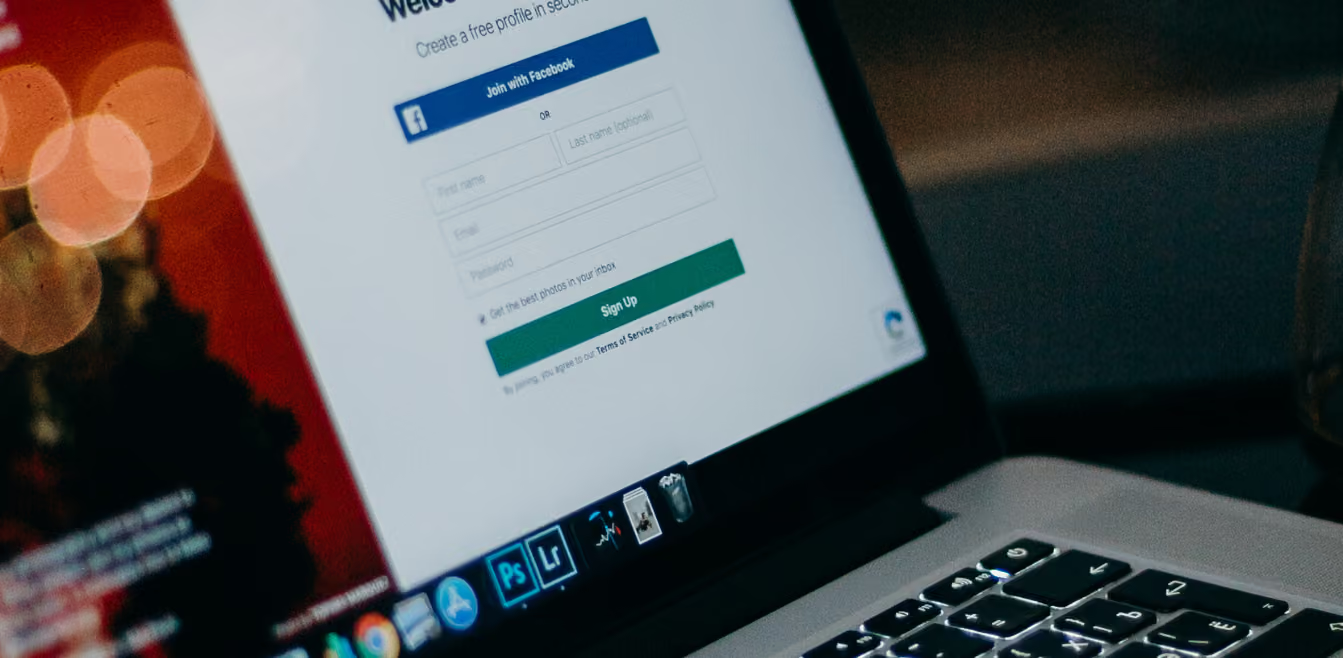
Facebook Data Breach 2022 [Everything You Need To Know About it]
When most people think of Facebook, they think of a social media platform where they can stay in touch with friends and family. Many people need to realize that Facebook has become an incredibly powerful tool for businesses.
With over 2 billion active users, Facebook allows businesses to reach a massive audience. As a result, Facebook has become one of the most important platforms for marketing campaigns. Unfortunately, a data breach in 2022 could change all that.
What Is a Facebook Data Breach?
A data breach is when hackers gain unauthorized access to a company's secure data. In the case of Facebook, this would mean that hackers would access millions of users' personal information, such as names, email addresses, phone numbers, and profile pictures.
This could be disastrous for businesses that rely on Facebook for their marketing campaigns. If users lose trust in the platform due to a breach, they may be less likely to engage with ads or click on links. This could lead to a decrease in sales and revenue for these companies.
For individuals, a data breach could mean that their personal information is at risk of being stolen and used by criminals. Personal information can be used to commit identity theft or financial fraud, and users may not even be aware that their information has been stolen until it's too late.
The History of Facebook Data Breaches
This isn't Facebook's first involvement in a data breach. In July 2013, a security flaw in the Facebook platform allowed unauthorized parties to access the personal information of over six million users. In 2014, Cambridge Analytica, a voter-profiling company, gathered the private information of 50 million Facebook users without them knowing or approving.
In 2019, an unknown group left 419 million Facebook records on a public server containing sensitive information such as unique IDs, phone numbers, and locations.
Although these previous breaches were serious and put user information at risk, the 2022 data breach is not a direct fault of Facebook. Instead, hackers used malicious apps to gain access to users' data. This means that it is important for all companies and individuals to be vigilant about their security.
How Did Facebook Data Breach Occur?
Some months ago, Meta, the parent company that owns Facebook, Instagram, and Whatsapp, revealed that it had found over 400 fraudulent Android and iOS apps created to hack people's login information. Meta has contacted Apple and Google to stop the problem so no more customer data will be exposed.
Most of the hazardous apps identified by Facebook pretended to be photo editors (42.6%), followed by productivity tools (15,4%), phone tools (14.1%), games (11.7%), VPNs and lifestyle apps related to the 2022 data breach on Facebook. Interestingly, most iOS apps have been developed as ad management tools for Meta and its affiliate site on Facebook.
What Does a Malicious App Look Like?
Many apps make false claims, such as those that promise to turn you into a cartoon character or increase your browsing speed. Others may provide access to banned websites or content, while others still offer deceptive 3D graphics quality in mobile games.
Still, other apps claim to offer health benefits like horoscopes and fitness tracking, but these can be misleading. Finally, there are business management and advertisement tech platform apps that promise unauthorized or secret functionalities – none of which are available through official app channels.
Think twice when you want to use such applications. You should always check the reviews before downloading an app, especially if it's not from a reliable source.
What Can You Do to Protect Yourself?
It's important to understand that Facebook did not create this data breach, but they are responsible for protecting their users' information. As such, users need to take extra steps to protect themselves.
First and foremost, users should be aware of the apps and websites they are accessing and ensure they are legitimate before entering any personal information. Additionally, users should always use strong passwords and two-factor authentication when possible. Finally, users should regularly review their accounts for suspicious activity or unusual transactions.
Taking these steps can help protect yourself from a potential data breach in 2022 on Facebook or other platforms. While there is no 100% guarantee against a breach, being aware of the risks and taking precautions can help reduce the chances of your information falling into the wrong hands.
Final Thoughts
The recent Facebook data breach is a clear example of why we need to be vigilant about our online privacy. While it's important to take steps to protect our information, it's also important to know what information we're sharing and with whom. That's where PrivacyHawk comes in. PrivacyHawk is a personal privacy manager that helps individual consumers keep track of their online activity and identify potential risks.
With PrivacyHawk, you can monitor your social media activity, understand the privacy settings for each site you visit, and control who has access to your personal information. So, if you're concerned about your online privacy, make sure you're using a tool like PrivacyHawk to help you stay safe.
How To Identify A Phishing Email?
Have you ever received an email that looks like it's from a friend or a trusted source, only to find out that it's a scam? Unfortunately, phishing emails are becoming increasingly common, and it can be difficult to tell them apart from the real thing. In this blog, we'll show you how to identify a phishing email so that you can protect yourself from getting scammed..
What Is Phishing?
Phishing is a type of online fraud where scammers use fake emails, websites, and other deceptive methods to try and get your personal information.
What Is A Phishing Email?
A phishing email is a type of scam that attempts to trick you into giving up personal information, such as passwords and credit card numbers. The email typically looks like it's coming from a legitimate source, such as your bank or employer, but a malicious actor sends ita malicious actor sends it.
The goal is to get you to click on links in the email that will take you to a website designed to steal your information. This can be done by getting you to enter your login credentials on a fake website or by prompting you to download malicious software that can give hackers access to your computer.
How Can You Identify A Phishing Email?
1. Suspicious Email Address
Check the sender's email address to ensure it looks legitimate. If the email appears to be from a company or organization, look for spelling mistakes or other irregularities in their domain name that would indicate a scammer is trying to impersonate them.
Scammers often copy reputable company emails to fool people into thinking they are from a legitimate source. Always check the sender's email. If you find it doubtful, visit the company website and match their official email.
2. Unsolicited Attachments
Only open attachments from senders you know or weren't expecting. Opening attachments can put your computer at risk for malware and viruses.
These attachments often contain announcements. For example, scammers may send you a flyer announcing that you won a bumper prize or offer a gift. Don't open any attachments, and delete the email right away.
3. Threatening Language
Be suspicious of emails such as "You must act now" or "Your account will be closed if you don't respond." These are often phishing emails trying to pressure you into taking action.
Please keep in mind that banks are there to help you. They will never want to close a customer's bank account. It goes against their policy and business model. Always call your bank and confirm if their representative contacted you. No bank will ever ask for personal information, such as credit card details or account passwords.
Scammer targets our vulnerabilities. They know that we are procrastinators and hurrying to get things done. They often use urgency to make us act. Don't let them trick you by responding to such emails!
4. Unfamiliar Links
Only click on links from senders you know or were surprised to hear from. If the link seems suspicious, hover your cursor over it to see where it's going before clicking.
These links can often bait you into logging in to your Facebook or Instagram account. Such links are meant to steal your account id and password. Never sign in using links you receive in DM or email. Always type the authentic URL yourself.
5. Poor Grammar
Phishing emails often have typos and other errors that give them away as fake. Legitimate companies take the time to proofread their emails, so watch out for any glaring grammar mistakes or spelling errors.
Using the tips above, you can easily identify phishing emails and keep your information safe. Remember to be vigilant when opening emails from senders you don't know or weren't expecting to hear from.
Final Thoughts
Phishing emails are a serious threat to your online security. While malicious actors may be getting more sophisticated in their attempts, you can always stay ahead of them by knowing how to identify these fraudulent emails. PrivacyHawk aims to educate individuals on how to protect themselves online and stay safe from cyber attacks. Stay informed, and remember, always be aware of what you open in your inbox!

How To Check If Your Account Was Recently Hacked And What To Do If It Is?
How To Check If Your Account Was Recently Hacked?
You come home from work, and as you get ready to log into your email, you notice something strange. Your account has been hacked! How do you know if this is the case? And more importantly, how do you fix it?
It can be difficult to tell if your account has been hacked. Often, there are warning signs that indicate someone may have gained access to your information. Hackers are getting more and more sophisticated each year, so it's important to be aware of the warning signs that your account has been hacked.
What Does 'Account Hack' Mean?
An account hack is when someone gains access to your online accounts without permission. This can be done through phishing scams, malware, and even data breaches. Hackers can use this information for gains, such as money or personal information.
How To Check If Your Account Was Hacked?
Here are a few ways to check and see if your account was recently hacked.
1. Check for Suspicious Logins
Start logging into the account and checking your login history. If you notice any unfamiliar IP addresses, locations, or devices attempting to access your account, then someone else may have logged in without your permission.
2. Monitor Your Accounts For Changes
Keep an eye out for any changes to the account, such as email address, profile photo, or username. If you notice anything that looks out of place, someone will likely gain access to your information without permission.
Another sign is that your account has started behaving strangely. For example, you may receive unexpected emails from people you don't know or see posts on social media that you didn't publish yourself. This could mean someone has gained access to your login information and is using your account without your permission.
3. Check for Suspicious Emails
Look through your sent and received emails to see if there are any messages from unfamiliar senders. If you notice any suspicious emails, then it is possible that someone has gained access to your account and sent out messages in your name.
It is a common sign if you suddenly start receiving many spam emails. This could be because the hacker has set up an automated system to send out spam from your account, or they could have given out your email address to other spammers.
4. Check your Security Settings
It's also important to check the security settings on your account. Look for any changes that may have been made to your security settings, as this could be a sign that someone has gained access to your account. If you notice any of these warning signs, it's important to take the following actions immediately.
What To Do If You Notice Changes In Your Account?
Change Your Password
If you think your account was recently hacked, the best thing to do is change your password immediately. Make sure the new password you choose is strong and secure. Use a combination of letters, numbers, and special characters to make it harder for hackers to guess.
Run a Scan
If you think your account was hacked via malware, it's important to scan your computer or device. This will help detect any malicious programs that may be on your system and help remove them.
Contact Your Service Provider
If you believe your account has been hacked, the best thing to do is contact the service provider right away. Let them know that you need help restoring your account and ask if they can provide any additional security measures or changes that should be made.
Keep Your Information Secure
The best way to protect yourself from account hacks is to keep your information secure. Make sure you are using strong passwords and two-factor authentication when available, and be aware of any emails or links that may be malicious. Taking these steps can help ensure your account remains safe from hackers.
Final Thoughts
PrivacyHawk wants to ensure that you stay safe and secure online. Our main goal is to help you protect your information and keep your accounts safe from any malicious attacks. If you suspect that your account has been hacked, it's important to take action right away. Change your password, run a scan of your computer, contact the service provider, and keep your information secure to help protect yourself from future hacks.
7 Popular Hacking Tricks of 2022 [How To Avoid Them]
Hacking has been a problem for many years, and it's only getting worse. In 2022, hackers are becoming even more sophisticated in their attack methods. Businesses and individuals both stay at risk of attack. Here are seven popular hacking tricks that you should be aware of in 2022 and how to protect yourself from them:
7 Popular Hacking Tricks Followed By Hackers
Hackers follow many popular hacking tricks. As technology advances, so do the methods used by hackers. It is important for everyone to be aware of these tricks in order to avoid becoming a victim. Let's take a look at some popular hacking methods and how you can avoid them.
1 - Phishing Attacks
Phishing attacks are becoming increasingly sophisticated and can be difficult to spot. In a phishing attack, the hacker will send an email or other communication pretending to be from a legitimate source to gain access to personal information or financial accounts. They may even use the information they have gathered about the victim to make the email seem more authentic.
One way to protect yourself from phishing attacks is to be aware of the common signs that an email may be fraudulent. Some signs include spelling mistakes, incorrect grammar, and requests for personal information such as passwords or social security numbers. It would be best to be cautious about clicking links or downloading attachments in emails, as these may contain malware or viruses.
2 - Malware/ Virus Attacks
Malware or viruses can be spread through emails, websites, and even malicious software downloads. Hackers may use malware to gain access to your computer system or files and steal data.
Malware can also be used to install ransomware on a computer system. Ransomware is malware that locks users out of their computers or files and demands a ransom payment to unlock them. This attack can be very costly for businesses and individuals and result in losing important data.
There are several ways to protect yourself from malware and ransomware attacks. One is to install antivirus software on your computer and keep it up-to-date. You should also be careful about what websites you visit and what files you download, and avoid opening attachments or clicking on links in emails from unfamiliar sources. You should also back up your data regularly in case of an attack.
3 - Cracking Passwords
Password cracking is one of the most common attack methods used by hackers. Using specialized software and techniques, hackers can crack passwords and gain access to systems and data without the owner's permission.
To protect yourself from password-cracking attacks, it is important to create strong passwords that are difficult for hackers to guess. It would help if you also used different passwords for each account, as this makes it more difficult for a hacker to try multiple combinations to crack them.
Changing your passwords regularly and avoiding using easily guessed words or phrases such as "password" is also important. Finally, you should enable two-factor authentication on any accounts where possible, as this adds an extra layer of protection against password-cracking attempts.
4 - Man-in-the-Middle Attacks
A man-in-the-middle attack occurs when an attacker intercepts communication between two parties and steals or alters the sent data. To protect yourself, make sure you use a secure connection, such as HTTPS or VPN, whenever possible. You should also be wary of unsecured public Wi-Fi networks.
5 - Social Engineering
This attack involves manipulating victims into revealing confidential information such as usernames, passwords, credit card numbers, etc. To stay safe from this attack, ensure never to give out personal or financial information over the phone or online unless you know who it's coming from and can verify your identity.
It's also a good idea to be cautious when opening emails from unknown sources, as they may contain malicious links or attachments.
6 - Bait And Switch Attack:
A bait-and-switch attack is a type of ransomware scam where an attacker fools victims into paying for fake services or products. To protect yourself, you should always research companies before making purchases and ensure that the website is secure by looking for "https" in the URL. Additionally, never click on suspicious links or emails, as they may redirect you to malicious websites or download malware onto your system.
7 - Denial Of Service Attacks:
A denial-of-service attack is a coordinated attack that floods a system with traffic to overwhelm it and cause it to crash. To protect yourself from this attack, ensure your network is properly configured and monitored for suspicious activity.
You should also have an incident response plan in place to act quickly if you experience an attack. Additionally, make sure any software or applications you use are up-to-date with the latest security patches and updates.
Final Thoughts
As we become increasingly reliant on technology, it's important to be aware of the potential hacking threats that come with it. By understanding some popular hacking tricks, you can take steps to protect yourself against them.
If you need help protecting your privacy, PrivacyHawk is a great resource. With our easy-to-use tools, you can keep your personal information safe and secure without the hassle. So don't wait until you're a victim of identity theft or fraud; protect yourself today.

How To Keep Yourself Protected From Online Scams?
Like most people, you probably use the internet every day to shop, bank, and stay in touch with friends and family. But did you know that the internet can also be a dangerous place? Unfortunately, online scams are on the rise and can cost you a lot of money if you're not careful. So, how can you protect yourself from online scams? As more and more people shift their lives online, the risk of being scammed only increases.
What Are Online Scams?
Online scams can come in many forms. They might be emails that appear to be from a legitimate company, with requests for personal information or money. They might also involve malicious software, like ransomware, that can infect your computer and lock you out until you pay the scammer a fee. Or they might be fake websites designed to look like legitimate ones to steal your credit card information or other personal data.
Tips To Avoid Online Scams
1. Be skeptical:
When it comes to online scams, a healthy dose of scepticism can go a long way. Before you provide any personal information or money to someone, double-check that the source is legitimate and not a scammer trying to take advantage of you.
2. Don't click suspicious links:
If an email, text message, or website looks suspicious, don't risk clicking any of the links in it. Even if the message appears to come from someone you know, there's no guarantee that their account hasn't been hacked.
3. Use strong passwords:
Having a strong password is one of the simplest and most effective ways to protect yourself from online scams. Aim for at least eight characters, including upper- and lowercase letters, numbers, and special symbols.
4. Keep your anti-virus software up to date:
Ensure your computer's anti-virus software is up to date and running at all times. This will help protect you from malicious programs that can be used to steal your data or lock you out of your device until you pay a fee.
5. Don't give out personal information:
Be wary of giving out your personal information, such as your address or credit card number, to people you don't know. If someone asks for this information, ensure they are a legitimate source before handing it over.
6. Review your privacy and security settings on social media:
Make sure you review the privacy and security settings on any social media accounts or websites you use. This will help ensure that only the people you want to see your information can access it.
7. Don't Bite The Bait:
Scammers often try to entice people with promises of free gifts or money. Don't be fooled! These offers are usually too good to be true, and you may end up paying more by getting scammed than you bargained for in the long run.
How To Spot Scammers?
1. Immediate threats:
Scammers may pressure you into sending money or personal information by making an urgent or demanding request. If someone is making a threat like this, it's likely a scammer, and you should end the conversation immediately.
2. Poor grammar and spelling:
Scams often contain poor grammar, spelling mistakes, or incorrect use of punctuation. If you see any of these red flags, staying away is best.
3. Unusual requests:
Be wary of anyone who requests unusual money or personal information, such as payment via wire transfer or prepaid debit card. These are not typical payment methods, and they could signify a scam.
4. Unsolicited offers:
If you receive an unsolicited offer or request from someone you don't know, it could be a scammer trying to get your money or personal data. Be sure to do your research before responding to any such messages.
Remember that if something seems too good to be true, it probably is. Be sure always to do your research and practice caution when dealing with strangers online. Following these tips can help protect you from online scams and fraudsters.
Final Thoughts
No one wants to fall victim to an online scam, but unfortunately, these scams are becoming more and more common. By following the tips in this blog post, you can help protect yourself from becoming a victim of an online scam. Keeping your personal information safe should be a top priority.
One of the most effective ways to do this is by using a privacy manager like PrivacyHawk. PrivacyHawk gives you peace of mind by regularly monitoring the internet for your personal information so you can focus on other things. With their help, you can rest assured that your personal information is protected against online threats.

How To Keep Your Financial Information Safe?
Financial security is increasingly becoming an important topic. With the increasing prevalence of data breaches, it is essential to protect your financial information proactively. By understanding the various risks and taking steps to safeguard your finances, you can ensure that your financial information remains secure. This article will discuss some key tips for protecting your financial security.
8 Ways To Ensure The Safety Of Your Financial Information
Globally, there are some known practices followed by financial institutions to ensure the safety and security of customers' financial information. Here are a few steps that you can take to ensure your financial security:
1 - Monitor Your Credit Report:
Regularly reviewing your credit report is a crucial part of safeguarding yourself from fraud and other forms of fraud. Equifax, Experian, and TransUnion, the three major credit reporting agencies, are available if you want a free copy of your credit report once a year. It's critical to keep an eye out for any unusual activity, such as accounts opened in your name or unauthorized charges.
2 - Stay Informed About The Latest Scams:
Cybercriminals constantly devise new techniques to steal personal data, so it's essential to stay informed about the latest scams to better protect yourself against them. You can do this by reading the news, subscribing to security-focused email lists, and following social accounts that share cyber safety tips.
3 - Establish Strong Passwords:
Creating passwords for any online account makes them complex and difficult for anyone else to guess. Include a mix of upper and lower-case letters, numbers, and symbols in your password. Also, try not to use the same password on multiple accounts, as this could put you at risk of a data breach.
4 - Only Buy From Trusted Sources:
When shopping online, stick with websites you know and trust. Only purchase from sites that use secure payment methods like PayPal or Apple Pay. Avoid buying from unknown sources, as they could be part of a scam to steal your personal information.
When shopping online, always look for secure websites with "https" at the beginning of the URL. This indicates that the website uses encryption technology to help protect personal information like credit card numbers.
5 - Do Not Post Your Financial Credentials Online:
Never post your financial credentials or personal information on social media or any other public platform. This includes things like usernames, passwords, bank account numbers, and credit card details.
6 - Enable Two-Factor Authentication:
Ensure that two-factor authentication is enabled whenever possible, particularly when logging into sensitive accounts like bank or credit card profiles. When accessing these accounts, you must input an additional code or word sent to your phone or email.
7 - Do Not Open Any Third-Party Links Sent On Emails From Untrusted Sources:
Cybercriminals could be sending malicious links or malware in emails to gain access to your personal data. Always double-check the sender's address, and do not click on suspicious links.
8 - Use Trusted Wifi:
Do your online banking at home. If you must access your banking accounts from public wifi, make sure to use a secure network. Always log out and close the web browser after using any online banking service. Keep your operating system, software, web browsers, and other programs updated with the latest security patches. Software updates often include critical security fixes that help protect against cyber threats.
What To Do If Your Financial Information Has Been Compromised?
If you suspect that your financial information has been compromised, the first step is to contact your bank or credit card company right away. They can help you cancel and reissue a new account and protect you from fraudulent charges. It's also important to keep an eye on your credit report and look for any suspicious activity.
You should also consider contacting law enforcement authorities if necessary and filing a complaint with the Federal Trade Commission (FTC). Finally, increase your online security to help protect yourself against future fraud or identity theft.
Final Thoughts
Although there are many steps you can take to protect your financial information, it's important to understand that you can never be 100% secure. Hackers are constantly coming up with new ways to steal people's information, so it's important to stay up-to-date on the latest security threats.
PrivacyHawk is a personal privacy manager that helps individual consumers keep their financial information safe. We offer a variety of services that can help you safeguard your private data from hackers and much more. Contact us today to learn more about how we can help you keep your financial information safe.
7 Ways To Stay Ahead Of Hackers! [Things You Can Easily Do]
If you’re sharing your personal information online without any safety or security, then you might become the next victim of cybercrime. As technology advances, so do the methods hackers use to gain access to your data.
If you're not staying ahead of the curve, you're at risk for a cyber attack because hackers are always in search of new ways to steal information, and if you're not prepared, they can easily gain access to your confidential data.
To stay ahead of hackers, you need to be aware of the latest scams, schemes, and techniques they use. In this blog post, we will discuss seven tips that you can follow to stay ahead of hackers and protect yourself online.
7 Ways To Stay Ahead Of Hackers
There are some known ways to stay ahead of hackers/cybercriminals:
1. Use Strong Passwords
A password that is at least eight characters long and has a combination of upper- and lowercase letters, digits, and symbols is considered strong. For example, @2HotPeetzas#7 such passwords are difficult to crack. You should never use easily guessed words like your name, birth date, or hometown in your passwords.
Never use the same password at more than one site. In the event that a hacker acquires your password, they will test it on other websites to determine if it functions. You can also use a password manager. A password manager is software that helps you create and store strong passwords.
It can also generate codes for 2FA and fill in online forms automatically. Never use the same password at more than one site. In the event that a hacker acquires your password, they will test it on other websites to determine if it functions.
2. Two-factor Authentication (2FA)
Two-factor authentication (2FA) is an extra layer of security that can be used to protect your accounts. With 2FA turned on, you will need to enter both your password and a code sent to your phone to log into your account.
Even if hackers know your password, it will be considerably more difficult for them to access your account as a result.
3. Keep Your Software Up to Date
One of the best ways to protect yourself from cybercrime is to ensure all your software is up to date. Most software updates include security patches that fix vulnerabilities that hackers could exploit.
Outdated software can have security vulnerabilities that hackers can exploit to gain access to your computer or steal your data. So, it's important to regularly check for updates and install them as soon as they are available.
4. Be Aware Of What Links You Click On
When you receive an email with a link, especially from an unknown sender, please do not click on it. Often, these links are malicious and can install malware on your computer or mobile device.
If you are unsure about a link, you can hover over it with your mouse to see where it would take you if you clicked on it. If the link looks suspicious, do not click on it. Keep in mind that legitimate companies send emails that use your first and last name for personal salutation. Hence, the email is spam if the salutation is addressed to a vague "Valued Customer."
5. Back-Up Your Data Regularly
Another way to protect yourself from cybercrime is to regularly back up your data. This way, if your computer or mobile device is ever attacked by ransomware, you can restore your data from the backup and won't have to pay the ransom.
You should back up your data to an external hard drive or a cloud-based storage service.
6. Be Careful When Using Public Wi-Fi
When you connect to a public Wi-Fi network, you open yourself up to potential cyber-attacks. Hackers can set up fake public Wi-Fi networks and use them to steal people's passwords and other sensitive information.
So, it's important to be careful when using public Wi-Fi networks. Only connect to networks you trust, and avoid entering sensitive information (such as your password) while connected to a public Wi-Fi network.
7. Do Not Provide Your Personal Information Online Unnecessarily
It would be best if you were careful about what personal information you share online. Criminals can collect this information to commit identity theft or fraud. So, only provide your personal information to websites that you trust, and be sure to check the privacy policy of any website before providing your information.
If you are using someone else's computer, always use incognito mode when browsing the internet. This will prevent your browsing history and passwords from being saved on the computer.
Wrapping Up
Taking care of your privacy online can seem daunting, but it doesn't have to be. PrivacyHawk is a personal privacy manager that helps individual consumers protect their personal information from being exposed, sold, or exploited by corporations, scammers, and hackers.
With PrivacyHawk, you can take control of your personal information and keep it safe from prying eyes. So why wait? Sign up for PrivacyHawk today and take back your right to privacy.

What Is Cyber Security, And How Can It Help You Stay Protected?
Since the world became a global village, our lives have become more and more dependent on the internet. However, one must stay aware of the potential threats and risks one can encounter while working online.
What Is Cyber Security?
Cyber security, also known as information technology security, protects networks and data from unauthorized or malicious access. It includes a variety of measures taken to protect electronic systems and data from attackers who wish to gain unauthorized access to steal confidential information or disrupt operations.
Cyber security is an essential part of any business’s IT strategy and should be taken seriously to ensure the safety of your company’s sensitive data.
The Need For Cyber Security
The importance of cyber security has grown exponentially in recent years. With the increasing number of people using the internet and conducting business online, there is a greater need to protect sensitive data from hackers and cybercriminals looking to exploit weaknesses in an organization’s network or systems.
Cybersecurity can help protect your company’s data, intellectual property, customer information, financial records, and other valuable assets.
How Does Cyber Security Work?
Cyber security uses various measures designed to prevent attacks or minimize the damage caused should an attack occur. These measures can include firewalls, authentication protocols, password policies, malware detection and removal tools, antivirus software, encryption, backups, and other proactive strategies such as user training and education on how to stay safe online. All these measures combined create a strong defence for any organization against cyber attacks.
How Can Cyber-Attacks Impact Your Online Presence As An Individual?
Although cyber security is usually considered a business concern, individuals should also take it seriously. Cyber attacks can have serious implications for personal life and result in identity theft, financial fraud, or the loss of confidential information.
It’s important to stay aware of potential threats and take measures to protect yourself online. This includes using strong passwords, avoiding clicking on unknown links or attachments, and keeping your computer updated with the latest security patches.
These steps can help ensure that your data remains secure and protected from malicious attackers. In addition to protecting yourself as an individual user, you should also be sure to educate yourself on current trends in cyber security so that you can stay safe.
Types Of Cyber Attacks An Individual Can Encounter
Cybercriminals use a variety of methods to gain access to networks and computers. The most common type of attack is phishing, which involves using deceptive emails and other messages to get someone to reveal personal information such as their passwords or credit card numbers. Other attacks include malware, ransomware, distributed denial-of-service (DDoS) attacks, social engineering, and more.
The Benefits Of Staying Protected Online
There are several benefits of staying protected online, such as:
1 - Keeping your data safe and secure:
By protecting your network and data, you can help ensure that it remains safe from unauthorized access.
2 - Preventing financial losses:
By preventing attackers from accessing sensitive information such as credit card numbers or passwords, you can help minimize the potential for economic losses.
3 - Ensuring the privacy of personal data:
With cyber security in place, you can help ensure that your data, such as emails, photos, and documents, remain private.
4 - Minimizing reputational damage:
Cyber attacks have the potential to cause serious damage to an individual or organization’s reputation, and by taking steps to protect yourself, you can minimize this kind of damage.
5 - Avoiding the disruption caused by cyber attacks:
Cyber attacks can result in serious trouble to businesses and individuals. By taking the necessary steps to protect yourself from cyber threats, you can ensure that your data remains secure and that any potential disruptions are minimized.
6 - Peace of mind:
Knowing that you are taking the necessary steps to remain safe online can help give you peace of mind.
Bottom Line
Overall, cyber security is an important issue for individuals residing in every corner of the world. By understanding the different types of attacks out there and taking proactive measures to protect yourself, you can help ensure that your data remains secure. PrivacyHawk wants to ensure that you are aware of your rights and your online presence is safe and secure from any type of cybercrime.
Remember that this article has been prepared for informational purposes and should not be considered legal or financial advice. You should consult a professional before making decisions about your cybersecurity needs.
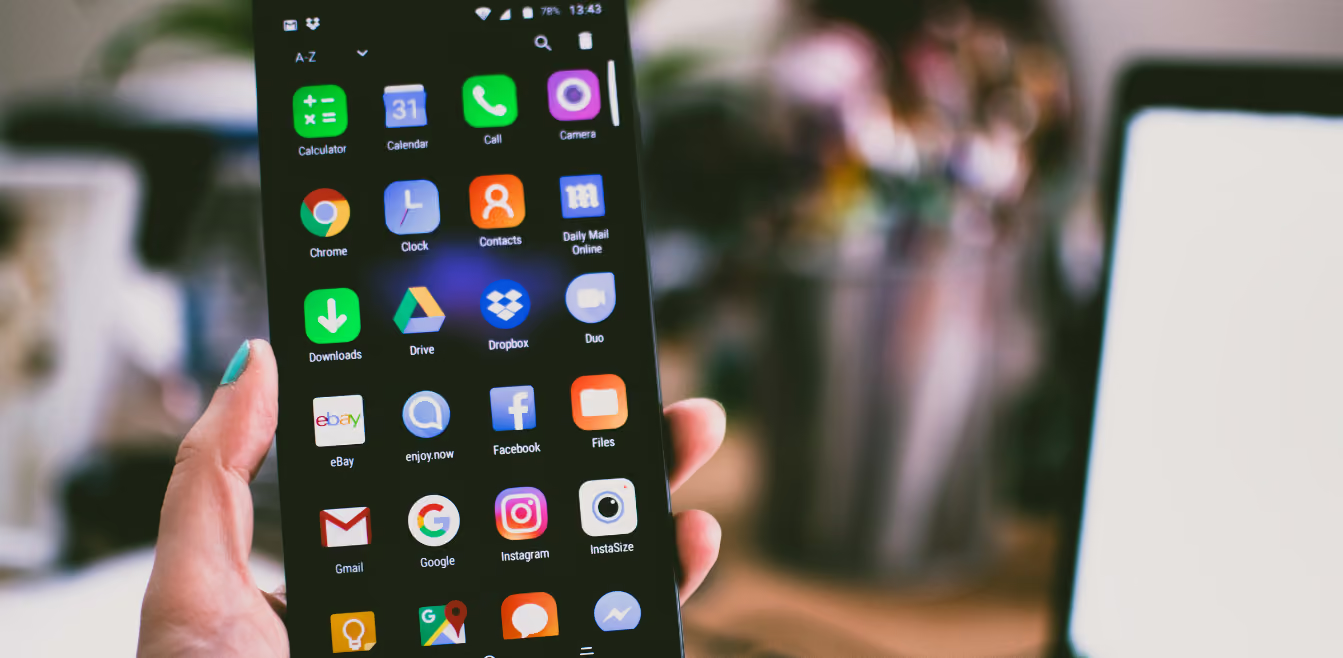
What Are Your apps and websites doing with your private data?
Just by using a website, you’re giving them your IP address, which is easily linked to your specific household through various third party services. That data can be combined with other databases to determine who else lives in your house, what your purchases behaviors are, your demographics, your email and phone number, and your interests.
Often, these websites set a cookie in your browser that is then shared with advertising marketplaces to piece together what other websites you’ve been to. This creates a behavioural profile about you that advertisers use to target you with ads. The ads aren’t bad in themselves. But when the brokers get hacked, now all this detailed information about you gets into the wrong hands.
Any mobile app that uses your location, which is most of the big ones (social media, photo apps, restaurant apps, maps, fitness apps, neighbourhood apps, family sharing apps, web browsers, travel apps), sells that data, sometimes in its raw form, to anyone who wants to buy it. They claim it’s anonymous location data, but that’s impossible.
The data can be used to determine the latitude and longitude and, hence, the address of where you live, where you work, where you shop and who you visit. Everywhere you go is on public display to anyone who wants to buy the data. It can be used for blackmail, extortion, scams, and all kinds of terrible things. There are stories of employees at some of these companies using the data to stalk spouses and catch them cheating. It can even be used for kidnapping and human trafficking.
Recommendation:
Delete your data from any apps and services you no longer use and give apps the minimum permissions they need.
PrivacyHawk has a free inbox scan feature that can help you easily identify which companies and apps are likely to be using your private information. You can use PrivacyHawk to delete requests for any apps that no longer need your data.


.svg)


.svg)